

Quick Summary
Improving your Google Business Profile (GBP) rankings requires a combination of accurate profile information, engaging visuals, strong customer reviews, consistent citations, and effective local SEO strategies. By optimizing your business name, categories, description, photos, videos, reviews, Google Posts, Q&A, and website integration, you can increase visibility in local search results. Regularly monitoring insights, building local backlinks, and leveraging all available Google features ensures sustained growth and stronger prominence in your community.

Updated for 2025
Winning visibility in Google’s local results comes down to doing the fundamentals exceptionally well: complete and accurate profile data, steady review flow, locally relevant content, and off-page signals that prove real-world prominence. The playbook below focuses only on legitimate, guideline-compliant tactics—no shortcuts or tricks.
Optimizing your Google Business Profile (GBP, formerly Google My Business) is one of the most impactful steps for local SEO success. Studies show that GBP factors are the top driver of local search visibility, followed closely by customer reviews. The key is to use legitimate, Google-compliant strategies – there’s no shortcut to “buy” or trick your way to the top. Below is a detailed guide of white-hat tactics, organized by category, to help boost your Google Business Profile rankings. Each section includes actionable steps to fully optimize your profile, engage customers, and improve your local prominence in Google’s eyes.
Optimize Your Business Profile Information (Name, Categories, Description, Attributes)
A complete and accurate business profile is the foundation of local SEO. Ensuring every field is filled out with correct, keyword-relevant info helps Google understand your business (relevance) and improves your chances of showing up for the right searches. Key optimizations include:
-
Use Your Real Business Name (No Keyword Stuffing): Set your GBP name to your exact real-world business name. Don’t pad it with extra keywords or location names that aren’t part of your official name – this violates Google guidelines. If your legal name naturally contains a keyword (e.g. “Summit Wealth Management”), that’s a bonus, but keep it compliant. A legitimate name builds trust and avoids penalties for spammy titles.
-
Choose the Best Primary Category (and Add Subcategories): Select the single most relevant primary category for your business (e.g. “Italian Restaurant” rather than a vague “Food Service” category). This primary category heavily influences your local ranking and should describe your main service. Then add 2–3 additional categories if they apply to specific services you offer (Google allows multiple categories). For example, a restaurant might use “Italian Restaurant” as primary and add “Pizza Restaurant” or “Cocktail Bar” as secondary categories. Review the category options every few months – Google periodically adds new categories, and updating yours can unlock new search visibility.
-
Provide a Detailed, Keyword-Rich Description: Write a clear description of your business (up to 750 characters) focusing on your services, unique selling points, and location. Include important keywords naturally, especially in the first sentence – for instance, “Family-owned Italian restaurant in downtown Denver serving authentic Neapolitan pizza.” While the description text itself may not directly boost rank, it does help Google and users understand your relevance. A well-crafted description with local and service-related terms can improve the user’s likelihood to choose your business.
-
Fill Out All Available Attributes: Take advantage of Google’s attribute options to highlight features and amenities. Attributes include details like “Outdoor seating,” “Free Wi-Fi,” “Wheelchair accessible,” “LGBTQ-friendly,” “Women-owned” and many more depending on your category. Mark all relevant attributes truthfully. This not only provides more complete info to customers, but certain attributes can help you appear for specialty searches or filter results (e.g. users filtering for wheelchair access). Google favors profiles with comprehensive info, as it helps match your business to the right searches.
-
Maintain Accurate Contact Info & Hours: Ensure your address is correct (and matches your website exactly), your phone number is a local number if possible, and your website URL is added and working. Set your business hours and keep them updated (including special holiday hours). Inaccurate or missing info can lead to your profile not showing up for relevant searches. Google wants to show users reliable info, so keep these details current. Also verify your profile if you haven’t already – an unverified profile is far less likely to rank well.


Add High-Quality Photos and Videos
Visual content makes your profile more attractive and can indirectly improve rankings by boosting user engagement. Google’s local algorithm takes into account how users interact with your listing (prominence), and profiles with compelling photos tend to get more clicks and calls. Here’s how to optimize your GBP’s visuals:
-
Upload Plenty of Relevant, High-Quality Photos: Aim to add dozens of photos over time showcasing your business – exterior shots (so customers recognize your location), interior ambiance, products or menu items, your team at work, etc. High-quality images (clear, well-lit, in-focus) are a must; blurry or dull images won’t attract customers. Profiles with fresh, quality visuals get more clicks, and Google monitors image views and interactions as a ranking signal. In fact, Google has noted that engagement metrics like photo views can influence your local rankings over time. By regularly adding new photos (say, a few each month), you signal that your business is active and keep users interested.
-
Optimize Image Details (File Names & Geo-data): Before uploading, give your image files descriptive names (e.g., “
joes-pizza-denver-storefront.jpg“ instead of “IMG_1234.jpg“). While Google strips out some metadata, a descriptive filename can still reinforce context. You can also geo-tag photos with your location coordinates – although Google officially doesn’t say it uses EXIF geo-data, many experts still do this as a harmless optimization step. At minimum, ensure photos are uploaded in the right “Location” section of your GBP so Google knows they are associated with your place. -
Include Short Videos: Google Business Profiles allow videos up to 30 seconds. Use this to your advantage by uploading one or more videos showing your business in action. For example, create a quick virtual tour of your store/office, a how-to clip or demo of your service, or a testimonial snippet from a customer. Videos add variety and can capture attention in ways photos don’t. A compelling video (even 20–30 seconds long) introducing your business or showcasing a popular product can increase user engagement with your profile. This not only builds trust with viewers but can also contribute to higher ranking through improved engagement rates.
-
Regularly Update and Manage Visuals: Make it a practice to update your cover photo or add new seasonal images periodically. Remove any outdated images (or flag irrelevant user-uploaded photos) to keep your gallery current. Google often displays the most recent and most viewed photos prominently, so curating your visual content ensures the best impressions. An active stream of new photos over time also indicates your business is lively – supporting your local SEO efforts by improving conversion and click-through rates (which are behavioral signals that Google’s algorithm notices).
Manage and Leverage Customer Reviews
Reviews are one of the strongest local ranking factors and a huge trust signal for both Google and customers. A robust, positive review profile can dramatically improve your local pack rankings and attract more clicks. To harness reviews for better SEO and customer conversion:
-
Encourage a Steady Stream of Reviews: Actively ask satisfied customers to leave a Google review. Don’t be shy – many people are willing if you provide an easy way (like a short URL or reminder email/text) after a purchase or service. The goal is to accumulate genuine, positive reviews over time, as both the quantity and recency of reviews influence your ranking and reputation. Google’s prominence factor considers how many reviews you have and your average rating. Even more, recent reviews carry extra weight – one detailed review from this month is more valuable than a dozen outdated ones from 2+ years ago. Aim for consistency: for example, a few new reviews each week or month, rather than a flood all at once and then nothing. The consistent influx shows Google (and users) that your business is actively serving customers and remains popular.
-
Respond to All Reviews (Promptly and Professionally): Make it a habit to reply to every review, positive or negative. Thank happy customers for their feedback, and write a polite, helpful response to any criticisms or issues raised in negative reviews. Owner responses not only influence potential customers (showing that you care), but Google explicitly encourages replying as it can help your business stand out. While owner responses might not boost rank directly, they improve conversion and can contribute to your profile’s quality. Additionally, Google’s product experts have observed that active management of reviews correlates with better local visibility. Try to respond within 24-48 hours if possible – timely responses indicate attentiveness. Keep responses professional and avoid getting into heated arguments; show you value feedback and are willing to resolve issues.
-
Ask for Reviews with Keywords (Legitimately): When appropriate, encourage customers to mention the product or service they purchased and your city or neighborhood in their review text. Don’t script or force this, but a gentle prompt like “It helps if you mention what service we did for you” can lead to reviews containing useful keywords (e.g. “John fixed my leaky faucet in Cambridge”). Such keywords in review content can improve your relevance for those services and locale. According to local SEO experts, review text is indexed and can impact which searches your listing is relevant for (though it’s not as heavy a factor as overall rating and count). In short: happy customers telling detailed stories = great for SEO.
-
Never Buy or Fake Reviews – Stick to White Hat Tactics: It should go without saying, but do not purchase reviews, create fake positive reviews, or incentivize reviews with rewards. These violate Google’s guidelines and can result in penalties or even listing suspension. Focus on earning honest reviews through good service. Similarly, don’t review-stuff keywords unnaturally or upvote your own reviews; Google’s algorithms and filters are quite sophisticated at catching inauthentic activity. The best practice is simply to provide excellent service and politely request feedback, which yields naturally keyword-rich praise over time.
-
Monitor and Learn from Feedback: Beyond SEO, reviews are a goldmine of customer insight. Pay attention to common themes. If multiple people mention a positive aspect (e.g., “cozy atmosphere” or “prompt delivery”), make sure to highlight that in your marketing and maybe in your GBP description. If criticisms appear, address them if possible (both online in your response and by improving internally). From an SEO perspective, high ratings and resolved complaints lead to better reputation, which indirectly benefits ranking (Google aims to show popular, well-regarded businesses).
Ensure NAP Consistency and Build Citations
Citations are online mentions of your Name, Address, and Phone (NAP) on external sites – and having consistent NAP information across the web is crucial for local SEO. Google cross-references this info to trust that your business is legitimate and well-established. Inconsistent or incorrect details can hurt your rankings by causing confusion. Here’s how to shore up your citation profile:
-
Keep Your NAP Consistent Everywhere: Use the exact same business name, address, and phone number on your Google profile, your website contact page, and all other listings. Even minor differences (like “Street” vs “St.” or using a local number on one site and a toll-free on another) can create ambiguity. Consistent NAP is considered the “backbone” of local citation signals. Google’s local algorithm will verify your business details across the web, so consistency boosts your credibility. For example, if your address is “123 Main St, Suite 200,” use that exact formatting everywhere (not sometimes “123 Main Street” or leaving off Suite). Regularly audit your major listings to ensure they match your current info.
-
Build and Update Listings on Major Platforms: Claim or create listings for your business on all the important directories and local platforms. At minimum, ensure you are listed (and verified) on Facebook, Yelp, Bing Places, Apple Maps, TripAdvisor (if relevant), and any industry-specific sites (e.g. Zillow for realtors, Healthgrades for doctors, etc.). Each of these listings is a citation that reinforces your presence. Moreover, many provide a link to your site, aiding SEO. Focus on the big data aggregators too (in the US: Factual, Neustar Localeze, and Data Axle (formerly Infogroup/Express Update)) which feed info to numerous smaller directories. Getting listed with them (often free) helps disseminate your NAP broadly. After initial setup, maintain these listings – if you move or change number, update every instance. Regularly check that no rogue duplicate listings exist (duplicate Google listings or old addresses can confuse users and algorithms; if you find duplicates, remove or suppress them).
-
Leverage Local and Niche Citations: Beyond the big platforms, seek out local directories (such as your city’s Chamber of Commerce, business association pages, local news “business listings” section, etc.) and niche directories relevant to your field. For example, a law firm should be on FindLaw or Avvo; a restaurant on OpenTable or Zomato. These citations not only contribute to NAP consistency but also often carry high trust in Google’s eyes (especially official local sources like Chamber of Commerce). They can indirectly help your ranking and will certainly help customers find you through various channels.
-
Audit and Correct Inaccurate Citations: It’s important to periodically audit your citations to catch any inconsistencies. Use tools like Moz Local, BrightLocal, Semrush, or others to scan for your business across directories. If you find old phone numbers, former addresses, or misspellings of your name, take steps to correct them. Many directories allow you to claim and edit your listing; for others, you might need to contact support or use a service to fix the data. Also, check for duplicate listings on the same platform (especially on Google Maps, duplicates can hurt – keep only one authoritative listing per business location). Consistent, clean citations give Google confidence in your data, whereas inconsistencies or duplicates can dilute your ranking potential.
-
Include Complete Info in Citations: When creating or updating citations, fill out as many fields as possible – not just NAP. Add your website, hours, photos, and a description if allowed. A citation with rich information (business description, category, etc.) is more valuable than a bare-bones one. Also ensure the category you choose on other platforms aligns with your Google category for consistency. While citation quantity is less important than it once was, quality and consistency remain key: a few dozen solid, accurate citations beat hundreds of sketchy ones. So focus on reputable websites over spammy directories. By having a well-synchronized presence across the web, you reinforce the signals Google uses to rank you in local searches.
Integrate Your Website and SEO with Your Google Profile
Your Google Business Profile doesn’t exist in a vacuum – it’s closely tied to your website and overall online presence. Google’s “prominence” factor for local ranking includes your website’s authority (backlinks, content, etc.) and how well your site aligns with the info on your Business Profile. To ensure your website is boosting your GBP (and vice versa):
-
Add a Website Link and Ensure Landing Page Relevance: In your GBP, use the Website field to link to the most relevant page for customers. Often this is your homepage, but for multi-location businesses or those with dedicated local landing pages, link to the specific page for that location. Make sure that page clearly features your NAP info and details matching your GBP (so Google sees consistency between your site and profile). The landing page content should reinforce the services and location of your business – e.g., mentioning your city and primary offerings in headings and text. A well-optimized landing page helps convert profile visitors into customers and can improve your local ranking by aligning with search keywords.
-
Implement Local SEO On-Page: Optimize your website itself for local search terms, as this will indirectly lift your Google Business Profile’s visibility. Include your city/region and target keywords in important places on your site: title tags, meta descriptions, H1 headings, and page content. For example, if you’re a plumber in Dallas, ensure your homepage title might say “Plumber in Dallas – [Brand Name]” and mention Dallas in your body text naturally. Also consider creating separate pages for each major service (with local modifiers if applicable) – this can help you rank for those terms and is noted as a factor in local search success The stronger your site ranks organically, the more authority spills over to your local pack rankings (since Google often pulls local pack results from businesses that also have solid organic SEO).
-
Embed a Google Map on Your Contact Page: Adding a Google Maps embed of your business location on your website’s contact page can slightly help reinforce location relevance. It creates a clear association between your website and your verified Google Maps listing. It’s also user-friendly – customers can quickly see your location or get directions. While this is more of a user experience improvement, it signals consistency. Along with the map, ensure your contact page displays your Name, Address, and Phone exactly as on GBP. Consistency here (perhaps even marked up with schema, below) bolsters Google’s confidence in your data.
-
Use Local Business Schema Markup: Add structured data markup (Schema.org) on your website for your business details. Using the LocalBusiness schema (or a more specific subtype like Restaurant, Dentist, etc.) allows you to mark up your business name, address, phone, business hours, geo-coordinates, etc. in the HTML of your site. This markup provides a standardized format for search engines to read your info. For instance, you can wrap your address in
<span itemprop="address">tags, phone in<span itemprop="telephone">, and so on. Implementing schema for NAP and other details “provides additional context to search engines”, helping Google cross-verify the information on your site with your GBP listing. It’s a white-hat technical step that can improve your local SEO consistency. -
Optimize Site Speed and Mobile Experience: Ensure your website is fast-loading and mobile-friendly, as many local search users will click through to your site. Google’s algorithms (including for local results) consider user experience signals – if your site is slow or unusable on mobile, it could indirectly hurt your overall local performance. Most people finding you via GBP will be on mobile, so a good mobile site helps convert those clicks into customers (and avoids high bounce rates, which are a negative signal). Keep images optimized, enable HTTPS, and streamline your pages for quick access to key info (location, contact, services).
(Note: While your website’s SEO is not part of your Google Business Profile per se, local pack rankings factor in traditional SEO signals like backlinks and content quality. Think of your GBP and your website as two connected pieces – optimizing both in tandem yields the best results.)
Post Regularly on Google Posts (Profile Posts)
Google Posts are a feature of GBP that let you share updates, offers, events, or announcements directly on your business listing. Posting content regularly to your profile can improve engagement and send positive signals to Google that your business is active. While Google Posts themselves are not a major direct ranking factor, they indirectly help by increasing user interactions and keeping your profile fresh. Best practices for Google Posts:
-
Publish Posts Consistently: Aim to add a new post at least once per week or a few times per month. Regular posting shows Google and users that you’re actively managing your profile. An active profile can gain a slight competitive edge in visibility. In fact, businesses that post weekly often see more user actions on their profiles, which Google’s algorithm likely notices. Posts expire from the main view after 7 days (except event posts), so a weekly cadence keeps a post showing on your knowledge panel continuously.
-
Share Valuable, Localized Content: The content of your posts should be relevant and engaging. You can post news, promotions, product launches, upcoming events, or even seasonal tips. Tie the content to your location or service area when possible – e.g. “Join us this weekend for a San Diego summer sale – 20% off all surf gear!” or “Our HVAC team is ready for winter in Buffalo – schedule your furnace tune-up now.” Incorporating your city or neighborhood name and service keywords in the post (in a natural way) reinforces local relevance. Keep the post text concise but informative (150-300 characters is a good length). Use attractive photos in the post to catch the eye – posts with images tend to get more clicks.
-
Include Calls-to-Action (CTAs) and Trackable Links: Take advantage of the optional button/CTA that Google Posts offer. You can choose from “Learn more,” “Call now,” “Sign up,” “Visit website,” etc., and link it to a relevant page. For example, if you post about a new service, link to the service page on your site; if it’s an event, link to an RSVP page. Use UTM parameters on these URLs to track traffic from Google Posts in your analytics. This way, you can measure how many clicks and conversions your posts are driving. Google’s insights will tell you how many people saw and clicked each post, but your own tracking will show what they did on the site. By monitoring this, you can refine your post strategy (focusing on posts that get engagement). Always ensure the CTA link is functional and relevant to the post content (nothing frustrates users more than clicking “Learn more” and not finding what was promised).
-
Highlight Special Offers and Events: Posts are an excellent way to publicize limited-time deals or events. Use the “Offer” post type for promotions – it lets you add a title, start/end dates, coupon code, and terms. These offer posts show up with a price tag icon and can attract deal-seekers. For events, use the “Event” post type – you can set the event date/time so the post stays live until the event is over, and it might appear in Google’s “Upcoming Events” if applicable. Taking advantage of these post types can increase your profile’s functionality and appeal.
-
Avoid Post Spamming or Irrelevant Content: Stick to content that provides value to local customers. Don’t post purely for SEO keyword stuffing or off-topic info. Google may remove posts that violate content policies (e.g. overly promotional with gimmicky language, or posts with prohibited content). Also, posting too frequently (multiple times a day) isn’t necessary and could be seen as spammy – focus on quality over quantity. A well-timed post (like before a weekend or holiday, or aligned with a local event) can be far more effective than many generic posts.
By using Google Posts strategically, you keep your profile dynamic and informative. This not only can improve customer conversion (someone seeing an active profile with current deals is more likely to engage) but also feeds into Google’s assessment of your business’s prominence and relevance (an updated profile is a healthy profile). In short – post small updates often, and you’ll stay one step ahead of competitors who let their profiles go stale.
Utilize the Q&A Section (Questions & Answers)
The Q&A feature on your Google Business Profile is an underrated tool for both customer engagement and SEO. It allows users to ask questions publicly, and the business (or any knowledgeable user) can answer. Well-managed Q&A content can pre-empt customer doubts, highlight your expertise, and even incorporate additional keywords about your services. Here’s how to make the most of it:
-
Seed Frequently Asked Questions Yourself: Many businesses don’t realize you can post your own questions and answers in this section (using a personal account). Take advantage of this by populating the Q&A with a set of common questions that real customers often ask. Think of it like an FAQ: “Do you offer free consultations?” “What safety measures are in place for COVID-19?” “Is parking available on-site?” etc. Post the question from one account, then switch to your official account to answer it thoroughly. By doing this, you provide immediate value to users who view your profile – they might get their questions answered without having to call. Plus, an informative Q&A can improve engagement and trust, indirectly helping your local ranking. Make sure your answers are factual and not overly promotional (answer as if you’re helpful, not just selling).
-
Answer Customer Questions Promptly: If a customer (or potential customer) posts a new question, try to answer it as quickly as possible. An unanswered question is a missed opportunity – not only could you lose that customer, but anyone else seeing it might get a poor impression if it lingers unanswered. Google may email you when new questions come in, but it’s good to check the Q&A section regularly (or use the Google Maps app which notifies you). Provide clear, friendly answers and address the user by name if possible (e.g., “Hi Alice, yes we do offer vegetarian options…”). Quick, helpful answers demonstrate active management and customer service, which can encourage more engagement (and potentially more conversions).
-
Incorporate Keywords Naturally in Q&A Responses: When answering, it’s okay to include important terms related to your business – this content is visible on your profile and can contain keywords about your services. For example, if asked “Do you do emergency calls?”, an answer could be “Yes, we provide 24-hour emergency plumbing services. If you have a leak or clog in the middle of the night, you can reach our on-call plumber at the same business number and we’ll dispatch to anywhere in Orange County.” This kind of answer not only resolves the question but reinforces your key offerings (emergency plumbing) and service area (Orange County). Don’t overstuff keywords unnaturally, but do answer in a way that future readers get a full, informative response. Some local SEOs believe that having relevant keywords in Q&A (especially service terms and locations) can slightly boost your relevance for those searches – at the very least, it provides more content for Google to understand your business.
-
Monitor for Inappropriate or Incorrect Content: Because the Q&A is crowd-sourced, occasionally you might get answers from the public that are wrong or even questions that are inappropriate. Keep an eye on this. If someone posts an answer to a question and it’s incorrect, you as the business should respond with correct information or downvote the incorrect one. You can also report spam or off-topic questions/answers for removal. Maintaining the quality of your Q&A ensures it remains a useful resource. A well-curated Q&A section (with clearly answered common questions) can actually reduce simple calls to your business (saving you time) and instill confidence in potential customers.
-
Upvote Good Questions and Answers: The Q&A section will show the most “helpful” questions first (those with the most upvotes). It’s a good idea to upvote the questions you’ve seeded or any particularly relevant questions so they rise to the top. Likewise, encourage people in your team (or friendly customers) to upvote the official answers you provide. This helps surface the best content. Avoid gaming this with fake accounts – just focus on genuinely useful Q&A content that merits being highlighted.
Managing the Q&A takes a bit of ongoing effort, but it’s worth it. Many competitors ignore this section, so having a robust Q&A can set you apart. It contributes to the completeness of your profile (which Google likes), and it directly helps convert searchers by answering their queries. Essentially, think of Q&A as an extension of customer service on your profile – when done right, it boosts both your SEO and your reputation.
Build Local Backlinks and Mentions (Local SEO Off-Page Strategies)
Outside of your GBP itself, one of the most powerful ways to improve your local ranking is by growing your website’s authority – specifically through backlinks from other sites. Google’s local algorithm considers “prominence,” which includes how well-known your business is online. One indicator of prominence is the quantity and quality of other sites that mention or link to your business. Earning local backlinks (and unlinked brand mentions) can therefore boost your local search visibility. All tactics here are white-hat, focusing on genuine community and industry relationships:
-
Pursue Local Partnerships for Links: Team up with other local businesses in complementary niches. For example, a wedding photographer might partner with a local wedding venue or bakery. You can agree to refer clients to each other and possibly feature each other on your websites (like a “Preferred Partners” page). Local partnership links are valuable because they usually come from a site in the same geographic area – Google sees that local relevancy. Collaborating with local bloggers or influencers is another idea; have them feature your business in an article or list (in exchange for your expertise or a sample of your product). These contextually relevant mentions help build your authority in the local community. The key is mutual benefit – provide something of value to earn that mention or link, rather than outright asking strangers for a link (or worse, paying for it, which is against Google guidelines).
-
Sponsor Local Events, Charities, or Groups: Getting involved in the community not only is good practice, but often leads to your business being listed on event pages or sponsor pages (with a link). For example, sponsor a local 5K run, a little league team, a charity fundraiser, or a community meetup. Typically, the event’s website or the organization will list sponsors and link to their sites. These are high-quality local links that signal prominence. In the eyes of Google, a business active in local community events likely has good local standing. Similarly, if you donate to or work with local charities/nonprofits, ask if they can mention your business on their site. Not only do such links help SEO, but people browsing those sites may click through to learn about you. Local sponsorships = goodwill + backlinks.
-
Contribute Content to Local Publications (Guest Posting): Writing a guest article for a local blog, news site, or industry publication can earn you a link in return. For instance, a local HVAC company could write a column on “Winterizing Your Home” for the city’s online newspaper, including a brief bio with a link to their site. Or a bakery could contribute a recipe to a regional food blog. Seek out websites that are relevant to your field or general city guides, and pitch them a useful piece of content. When done in a genuine way, guest posting on local sites adds to your credibility and typically provides an author backlink. Make sure the content is high-quality and not overly self-promotional. The goal is to showcase your expertise and subtly put your name out there. Over time, building a few of these links can boost your site’s authority and thereby your GBP ranking (as Google sees your business being referenced by others).
-
Get Listed in Local Directories & News “Best of” Lists: We covered general citation directories earlier, but also look for less formal local mentions. Many cities have local blogs or news outlets that do “Top 10 [business type] in [City]” lists or “Best of [City] Awards.” If you see such lists (or annual competitions by newspapers/magazines), engage with them. Sometimes you can nominate your business or encourage customers to vote if it’s an award scenario. Being featured as, say, one of the “Best Coffee Shops in Seattle” in a reputable publication is fantastic for local SEO – it usually includes a link or at least a mention of your business (which Google’s entity recognition can pick up). The same goes for local radio or TV station websites that might list businesses from segments they run. Essentially, the more your business is cited by local sources, the more prominence you gain. Even if some mentions don’t include a link, Google can associate your name/address with that mention (unstructured citation), which still contributes to your authority.
-
Earn Reviews and Mentions on Third-Party Sites: While Google reviews are paramount, don’t ignore other review platforms. Having a strong Yelp profile, for example, won’t directly change your Google listing, but Google does view high Yelp ratings and other site reviews as part of your overall online reputation. A well-regarded business across the web is likely to rank better locally than one with only Google reviews and nothing else. Additionally, reviews on other platforms often rank for your brand name; someone searching your business might see your Yelp or Facebook or TripAdvisor page. Ensuring those have positive content can indirectly help by driving more traffic and brand trust (which again, feeds into Google’s understanding of prominence). So, encourage customers to leave reviews where they prefer – if they mention they use Yelp, welcome a Yelp review. Consistency in positive sentiment across platforms solidifies your prominence to Google. (Note: Avoid creating links on random forums or blog comments yourself – those tactics are spammy. Focus on earning mentions through real engagements and quality content.)

Local link building is largely about being an active, valued member of your local community and industry. As you network, collaborate, and contribute locally, your business will naturally get talked about online. These genuine mentions and links are exactly what Google’s algorithm rewards in the long run. They signal that your business is trusted and authoritative, which translates into higher local rankings. Remember, quality beats quantity – a few great local links are far better than dozens of low-quality, irrelevant ones.
Use Google’s Additional Features (Messaging, Booking, etc.)
Google continually adds features to Business Profiles that can enhance customer interaction. Utilizing these tools can improve customer satisfaction and potentially give you an edge in local results (at least by improving engagement metrics). While features like Messaging or Bookings are optional, businesses that effectively use them may stand out to both users and Google. Here are some to consider:
-
Enable Google Messaging (Chat) if You Can Respond Quickly: The Messaging feature allows customers to send you messages directly from your Google listing (via Google Maps or Search). It’s basically like a built-in live chat/text. If your business can monitor and reply to messages promptly (within a few minutes ideally), turn this on – it creates another convenient channel for leads. Quick responses to inquiries can win you customers on the spot (e.g., someone asks “Do you have this item in stock?” and you answer immediately). However, only enable messaging if you’re committed to managing it. Google tracks response time and may deactivate messaging for your profile if you frequently don’t respond or take too long. So make sure notifications are on or assign staff to handle it during business hours. A benefit of messaging (besides customer service) is that it signals to Google that you’re engaging with users; while not a direct ranking factor, it can improve your profile’s conversion rate and possibly your profile’s “activity” level in Google’s eyes.
-
Use the Booking or Reservation Feature (if Relevant): For businesses in industries like hospitality, beauty, wellness, or others where appointments/reservations are common, Google often provides a “Book” or “Reserve” button integration. This can be through Google’s partnerships (for example, OpenTable for restaurants, or integrated scheduling software for salons, doctors, etc.). If you see an option to connect an appointment scheduling system to your GBP, take advantage of it. This allows users to directly book you without even visiting your site, which reduces friction. Google likes to keep users in their ecosystem, so offering an on-Google booking could make your listing more robust (possibly affecting your prominence). At the very least, it will likely increase conversions. Make sure your booking link or integration is kept up to date (e.g., if you change scheduling providers, update it).
-
Add Products or Services Menu: Google Business Profile has sections where you can list Products (for retail/e-commerce or any item-based businesses) and Services (for service-based businesses). Filling these out can improve your profile’s relevance. For products, you can showcase catalog items with images, descriptions, and prices. For services, you can outline what services you offer (often tied to categories). For example, a spa might list “Swedish Massage – 60 min” or “Facial Treatment – 30 min” with prices. This not only informs customers but also feeds Google more keywords about what you do. It’s all within guidelines to list out your offerings; just be honest and clear. A complete Products/Services section can sometimes get your profile to show up for more specific searches (like a user searching a particular product you listed). It also increases conversion by letting users see if you have what they need at a glance (Google encourages adding such info to make profiles comprehensive).
-
Utilize the “Highlights” and Other Sections: Depending on your category, Google may allow additional details – for instance, Hotel amenities, Restaurant menus, Healthcare insurance accepted, etc. Always fill these in. Also, make use of the “From the Business” section (formerly the business description, which we covered above) to communicate special features – some of these appear as “highlights” (e.g., “Women-owned” or “Veteran-led” badges). These might not affect ranking directly, but they do affect user behavior and click-throughs, which are important. If two similar businesses appear, but yours has a “Women-owned” label or “Offers free Wi-Fi” and that matches what the user is looking for, you’re more likely to get the click. Indirectly, better engagement can boost your profile’s performance.
-
Keep “Profile Strength” at 100%: Google sometimes indicates in the dashboard how complete your profile is (e.g., a progress bar or “Your profile is 85% complete”). Strive to get that to 100% by adding any missing information or media. While not a guarantee of higher ranking, a fully completed profile is favored in the local algorithm. Google explicitly states that businesses with complete information are easier to match to the right searches. So, if there’s an option to add a photo, add it; if you can add holiday hours, do so; if a new attribute (like “Online appointments”) appears, toggle it if applicable. A “strong” profile ensures you’re not losing out due to an incomplete section. It’s an easy win in terms of optimization.
-
Experiment with Google’s New Tools (as they roll out): Google often pilots new features (like when they introduced posts, or more recently things like welcome offers for new followers, or promotional tools). Keep an eye on your GBP dashboard and announcements from Google. Early adoption of features – as long as they are useful – can give you an edge. For instance, Google now allows businesses to enable a FAQ section on messaging (pre-populated responses), or to create a short name/URL for your profile, etc. These little things can improve user experience. Always ensure any new feature you use still aligns with guidelines (Google usually provides guidance with new features).
In summary, leverage every applicable GBP feature that makes sense for your business. Not only do these tools enhance customer convenience, but a well-utilized profile sets you apart. Many competitors might not bother enabling messaging or adding products – if you do, your listing becomes richer and more engaging. Google’s algorithm aims to present searchers with the best and most informative listings; by fully utilizing GBP features, you make your listing more worthy of that #1 spot.
Monitor Insights and Continuously Improve
Lastly, effective optimization doesn’t end after you’ve implemented all the tactics above. Local SEO is ongoing – you should continuously monitor how your Google Business Profile is performing and adapt as needed. Google provides valuable data through the GBP dashboard (Insights) and there are other ways to gather feedback. Use this information to refine your strategy:
-
Track Google Business Profile Insights: Open your GBP dashboard regularly and review the Insights section. This shows how many people found you via direct search vs. discovery, how many viewed your profile, how many clicked to your website, called, requested directions, etc. Pay attention to the queries people used to find your business – are they the keywords you expected? For example, you might discover people find you for “emergency plumbing” often; this could prompt you to create a Google Post about emergency service or ensure your website emphasizes that service. Also note actions: if you have a low number of website clicks but high direction requests, perhaps people are opting to visit you directly – make sure your address and map pin are absolutely correct. Use these insights to gauge what’s working and what’s not. For instance, if photo views spike after adding new images, keep it up. If a particular post got many clicks, consider doing more of that type.
-
Use Google Analytics and UTM Tags: If you haven’t already, add UTM tracking parameters to your website URL in your GBP and any links you use in Posts. This way, in Google Analytics (or your analytics platform), you can see traffic specifically from Google My Business. It often appears as coming from sources like “google / organic” with a medium or campaign you set (e.g., utm_source=google&utm_medium=local-listing). Monitor how these visitors behave on your site: what’s the bounce rate, what pages do they view, do they convert (e.g., submit a form or purchase)? This will help you understand the ROI of your GBP efforts. You can even compare conversion rates: Do customers coming from GBP convert better than general organic search visitors? If yes, maybe beef up your profile with even more info to drive that further. Tracking also lets you quantify things like how many calls or direction requests turn into actual sales (you might use call tracking numbers or ask customers how they found you). Knowing the metrics will help justify the time you spend on local SEO and guide where to focus next.
-
Pay Attention to User Contributions: Google allows users to add their own photos of your business, suggest edits to your info, ask questions, etc. It’s important to keep an eye on these user contributions. Check the Photos section occasionally for new customer-added images – if they’re good, thank them (maybe in a review response mention you appreciate the photo). If they’re inappropriate, you can flag them for removal. Google’s “suggest an edit” feature means someone could edit your hours or even name – Google might change it if the suggestion seems legit. You should have email alerts for such changes (via Google’s notification settings), but it’s wise to manually review your info periodically to ensure nothing was mistakenly altered. Maintaining control of your listing data is crucial; an incorrect phone number or hours can cost you business and hurt your local ranking if not addressed.
-
Analyze and Adapt to Competition: Keep an eye on the local landscape. Search for your primary keywords (e.g., “dentist in [Town]”) periodically and see who’s ranking in the local pack. What do the top competitors’ profiles look like? Do they have more reviews? Better ratings? Are they using Posts or have lots of Q&A? While you should not violate guidelines to copy anything, you can glean ideas. If top competitors all have 100+ reviews and you have 20, you now know increasing review count should be a priority. If they’re posting weekly and you aren’t, time to ramp up your posting. Local SEO is relative – you need to do as much as or more than the others vying for those top spots. Also, read competitors’ reviews (what customers praise them for, or complain about) – this can reveal strengths you should highlight and weaknesses you can capitalize on.
-
Stay Updated on Google’s Changes: Google’s local search algorithms and features evolve. For example, the importance of certain factors can shift (as seen in annual local SEO studies). Make it part of your routine to follow reliable SEO news sources or blogs for updates specific to Google Business Profile and local SEO. If Google rolls out a major update (like the Vicinity update in late 2021 which affected proximity factors), you may need to adjust strategy (Vicinity, for example, made businesses focus more on truly local marketing due to reduced radius). By staying informed, you can react quickly if something changes – or proactively implement new best practices as they emerge. Google’s own announcements (the Google Search Central Blog, for instance) and forums like the Google Business Profile Community can be valuable.
-
Continuous Improvement Mindset: Treat your Google Business Profile optimization as an ongoing process, not a one-time task. Set aside a little time each week or month to do a “health check.” This could include: adding a new photo, responding to recent reviews, posting an update, checking if any info needs refreshing (maybe you added a new service – add it to your profile!), and reviewing analytics. Over time, these small regular actions compound into significant improvement. By analyzing what leads to more calls or clicks, you’ll get better at knowing where to invest your energy. For example, you might discover that responding to reviews correlates with a slight uptick in profile views – that can motivate you to never miss a response. Or you might see that when you added 10 photos, your search impressions jumped – so plan to add 10 more next month. Use data-driven insights to hone your approach.
Monitoring and iterating in this way ensures you’re not just setting and forgetting your GBP, but rather actively managing it as a key marketing asset. Google rewards those who actively engage with their profiles because it often leads to better user experiences (accurate info, timely responses, fresh content). By closing the feedback loop – observing results and refining tactics – you’ll keep improving your local rankings and reap the benefits of increased traffic and customers from Google.
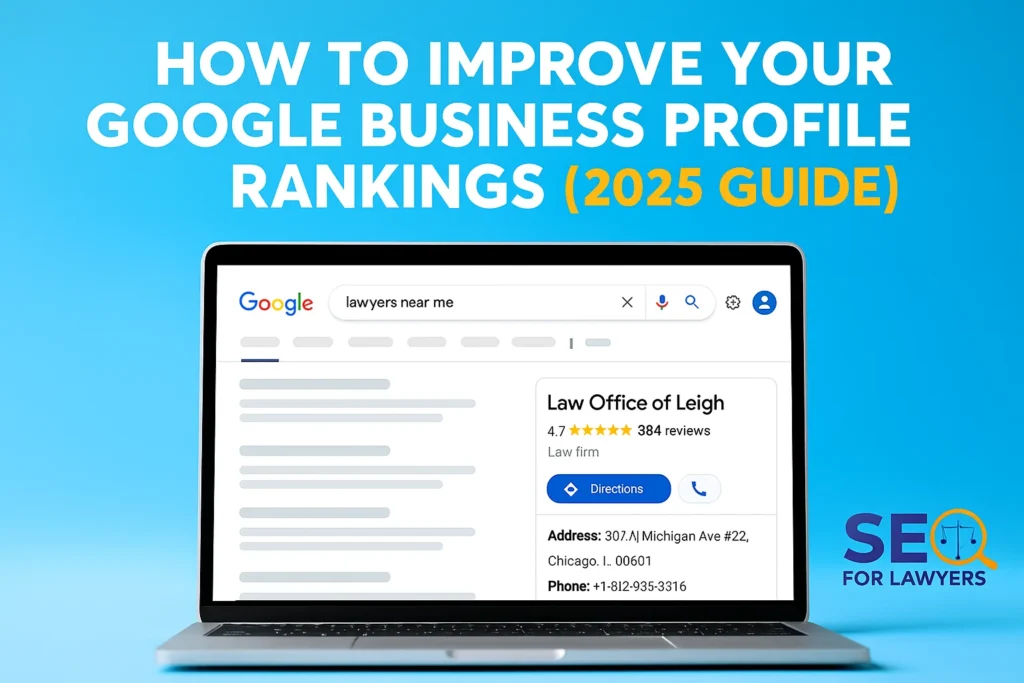
Conclusion: By following these legitimate tactics, you’ll fully optimize your Google Business Profile and bolster your local SEO in a sustainable way. From fine-tuning your profile info and engaging with customers, to building your presence across the web, each strategy contributes to the three pillars of local ranking: Relevance, Distance, and Prominence. Your profile becomes more relevant by detailing your services and keywords, distance is fixed by your location but can be communicated clearly, and prominence grows as you earn more reviews, citations, and links. Importantly, all these recommendations comply with Google’s guidelines – focusing on genuine improvements, not tricks. Google’s own words sum it up: “Businesses with complete and accurate information are easier to match with the right searches” and “More reviews and positive ratings can improve your local ranking”. By investing consistent effort in white-hat optimizations, you’ll build a strong online foundation that not only boosts your rankings but also provides a better experience for your customers. Good luck, and remember that local SEO is a marathon, not a sprint – keep at it, and you’ll see the payoff in increased visibility and business growth.
Sources: The tactics above are drawn from industry best practices and Google’s official recommendations for local search. Notable references include Google’s own Business Profile help guides, the 2024 Local Search Ranking Factors analysis, and expert insights from reputable SEO resources, all of which emphasize the importance of comprehensive profile optimization, customer engagement, and consistency for achieving top rankings in Google’s local results.
Frequently Asked Question
Q1: How do I improve my Google Business Profile ranking?
A: Optimize your profile info (name, categories, description), add high-quality photos and videos, manage customer reviews, maintain NAP consistency across the web, integrate local SEO on your website, post updates via Google Posts, answer Q&A, and build local backlinks. Consistency and engagement are key.
Q2: Do Google reviews affect local SEO?
A: Yes. Quantity, recency, and quality of reviews significantly influence local search rankings. Responding to reviews also boosts trust and can improve click-through rates.
Q3: What are the best ways to get more Google reviews?
A: Ask satisfied customers politely, provide an easy link for submission, and encourage mentioning services or location naturally. Never buy reviews or incentivize them in ways that violate Google guidelines.
Q4: How important are photos and videos on a Google Business Profile?
A: Very important. High-quality images and short videos increase user engagement, clicks, and calls. Google tracks profile interactions, so updated visuals can indirectly improve ranking.
Q5: What is NAP consistency and why does it matter?
A: NAP stands for Name, Address, Phone number. Keeping this consistent across Google, your website, and directories ensures Google trusts your business data, improving local search visibility.
Q6: How can Google Posts help my business profile?
A: Posts keep your profile active, showcase promotions or events, and provide calls-to-action that drive clicks. Regular posting signals to Google that your business is active and engaged.
Q7: Should I use Google Q&A for SEO?
A: Yes. Seeding FAQs and answering customer questions with relevant keywords helps users, increases engagement, and provides additional content for Google to understand your business.
This research referenced the following internet properties…