


Copilot grounds its answers in Bing’s index, then attaches numbered citations to the specific passages it pulled from your page. Winning those citations comes down to two gates: getting indexed and ranked by Bing, then writing passages clear enough for the model to lift and attribute. Microsoft exposes both sides of that process through Bing Webmaster Tools’ AI Performance dashboard and the Copilot Studio APIs, so publishers who confirm indexing, mark liftable answer blocks, and track grounding queries have a real, measurable path to citation visibility.
TL;DR:
- Pages must be indexed and rank in Bing before they can be cited by Copilot, requiring technical fixes like sitemap submission and indexation verification.
- Content needs to be structured with answer-first passages, clear entity signals, and data-snippet tags to improve liftability and increase citation likelihood.
- Grounding queries reveal the specific phrases Copilot searches for, enabling targeted content rewriting to address recurring information gaps.
- Setting up Bing Webmaster Tools’ AI Performance dashboard allows publishers to monitor citation counts, trends, and the influence of user intent and topics on citation share.
- Improving technical eligibility and answer clarity across high-value pages can significantly boost Citation Share, as most citation gaps are caused by technical or structural issues.
What Are Bing Copilot Citations and How Do They Work?
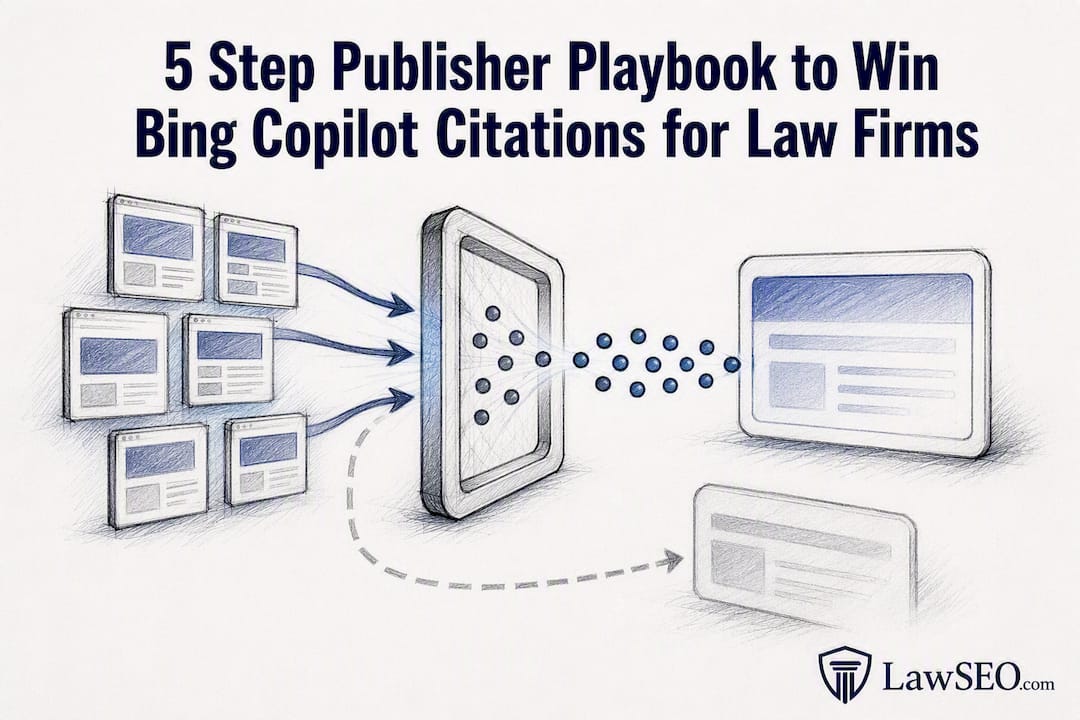
Copilot doesn’t generate answers from memory alone. It runs on retrieval-augmented generation, or RAG: the model issues internal grounding queries to Bing, retrieves a set of candidate pages, then synthesizes a response and attaches citations to the exact passages it drew from. Microsoft’s own retrieval-augmented generation guidance confirms this pipeline, and in enterprise deployments those grounding queries get processed with identifying details stripped out, so they aren’t repurposed for training or ad targeting.
That pipeline creates two distinct gates publishers have to clear, and they require different work from different teams.
- Gate 1, candidacy: Your page has to already be indexed and ranking in Bing. If Bing hasn’t crawled it, Copilot can’t retrieve it, no matter how well written it is.
- Gate 2, liftability: Once your page is a candidate, the model decides whether a specific passage is clear and quotable enough to cite. Vague, buried, or jargon-heavy answers lose this contest even when the underlying page ranks well.
This split matters strategically. As one industry breakdown on how Copilot chooses which sources to cite points out, indexing and crawlability are largely a technical fix, while liftability is a writing and structuring problem. A law firm’s blog post might rank on page one of Bing and still get skipped for a citation because the answer is buried in paragraph six instead of stated up front. Fixing Gate 1 without touching Gate 2, or the reverse, leaves half the opportunity on the table.
What Does Microsoft’s AI Performance Dashboard Show Publishers?
Bing Webmaster Tools now includes an AI Performance report, and it’s the closest thing publishers have to a citation analytics panel. The dashboard tracks how often your content gets pulled into AI-generated answers and where it shows up in that mix.
The AI Performance report surfaces several distinct metrics:
- Total citations: how many times your content was cited across AI experiences in a given period.
- Average cited pages: how many unique pages of yours are getting pulled in.
- Grounding queries: the phrases Copilot actually searched Bing with before citing you.
- Page-level citation activity: which specific URLs are earning citations and for what.
- Visibility trends: whether citation activity is rising, flat, or declining over time.
- Citation Share: your relative slice of citations for a given topic against everyone else being cited.
Microsoft expanded this further with Intents, Topics, and Compare views, which group grounding queries by user intent and let publishers benchmark their citation activity against broader topic trends. The Bing Blog’s announcement frames these as tools for understanding why content gets cited, not just how often.
Pro Tip: Treat every metric in AI Performance as directional, not exhaustive. The data is aggregated and sampled across supported AI surfaces, so a quiet week in the dashboard doesn’t necessarily mean zero citations happened. It means the sample didn’t catch them.
Copilot Studio’s knowledge sources documentation adds a technical layer worth knowing: a single Copilot response shows a maximum of 20 citations, and title and snippet lengths are capped. Settings like “Allow ungrounded responses” also change how strictly the model requires a citable source before answering, which affects how often your content even gets a shot at appearing.
How Do You Turn Grounding Queries Into a Content Plan?
Grounding queries are functionally a keyword-gap report Microsoft built for you. They tell you the exact phrases Copilot searched Bing with before deciding what to cite, which means you can reverse-engineer what content is missing or underperforming.
- Export your grounding query samples from the AI Performance dashboard for the date range you’re auditing.
- Search each phrase manually in Bing to see what currently ranks and whether your own page even appears.
- Identify the gap. If a grounding query like “average settlement timeline for slip-and-fall claims” surfaces but your page doesn’t rank, that’s a content gap, not a citation problem.
- Rewrite the relevant page’s opening passage into a direct, answer-first snippet that matches the query’s phrasing and intent.
- Re-test in two to four weeks by rechecking the same grounding queries and watching Citation Share for that topic cluster.
Citation Share is where this gets tactically useful. If your Citation Share for “personal injury statute of limitations” content sits low despite decent traffic, the pattern usually points to a competitor’s page being more directly quotable, not a ranking failure. That’s a rewrite problem, not a link-building one.
Pro Tip: Don’t chase every grounding query equally. Prioritize phrases that repeat across multiple sampling periods; a query that shows up once might be noise, but one appearing consistently signals a real, recurring information need Copilot is trying to fill.
Which Technical Fixes Make a Page Eligible for Citation?
Before any writing improvement matters, a page has to clear Bing’s technical bar. This is Gate 1 work, and it’s largely a checklist.
- Verify your domain in Bing Webmaster Tools and submit a current sitemap so Bing’s crawler has a clean map of your priority pages.
- Implement IndexNow so new or updated pages get pushed to Bing’s index within minutes instead of waiting for a standard crawl cycle.
- Audit meta directives. NOARCHIVE, NOCACHE, and NOSNIPPET tags can silently block citation eligibility even on pages that rank well; remove them from any page you want cited.
- Use the data-snippet attribute to mark the exact paragraph you want Copilot to treat as the liftable answer, rather than leaving the model to guess which block matters.
- Serve key answer blocks in server-rendered HTML. Content injected client-side after page load is frequently invisible to the retrieval step entirely.
- Add structured data, specifically Organization, Article, Person, and FAQPage schema, then validate it through Bing’s URL inspection tool.
The Search Engine Journal analysis of Bing’s AI citation data confirms data-snippet as a genuinely high-leverage, low-cost fix. It’s the single tag most likely to move a page from “technically eligible” to “actually cited.”
Pro Tip: Run this checklist on your highest-converting pages first, not your highest-traffic ones. A page that already converts well but isn’t cited is pure upside; a high-traffic page that’s already ranking fine offers less marginal gain. A firm’s local SEO technical checklist is a useful companion for confirming the crawlability basics before you move to snippet-level fixes.
What Writing Style Wins Copilot’s Attention?
Passing Gate 1 gets you into the candidate pool. Winning Gate 2 means writing in a way the model can lift cleanly, and that’s a discipline most legal content simply doesn’t practice.
- Open with a direct answer, 40 to 80 words, that responds to a likely grounding query. Save the caveats and nuance for the paragraphs after.
- Use short paragraphs and explicit subheadings so the model can isolate a self-contained fact without having to parse surrounding context.
- Format extractable facts as lists or tables rather than burying them in narrative prose.
- Corroborate claims with inline citations to primary sources. A page that cites a statute or a court rule directly reads as more trustworthy to a synthesis model than one making an unsupported assertion.
- Make entity signals unambiguous. Use one consistent name for your firm across every page, attach a byline with real credentials, date the content clearly, and back it with Person and Organization schema.
This is where a lot of otherwise strong legal content underperforms. A well-researched article on adverse possession law might be technically accurate and rank fine, but if the actual answer is on paragraph eight after four paragraphs of case history, Copilot has no clean passage to cite. LawSEO’s AI content optimization checklist for legal marketers covers this restructuring work in more detail.
How Do You Measure and Verify Citation Activity?
Dashboard metrics alone don’t tell you everything. A complete measurement approach layers three sources against each other.
Start with AI Performance’s Pages and Grounding Queries views to see which URLs are cited for which phrases, then cross-check that against the AI Performance help documentation on how grounding queries get grouped into summary phrases. Where the Copilot Sources API or structured JSON output is available, inspect the actual citation fields directly: title, URL, and snippet text tell you exactly what got surfaced and how it was worded. Finally, run scheduled test prompts against Copilot yourself, or use a third-party AI-visibility crawler, to sample live answers and confirm the dashboard data matches what’s actually appearing.
| Method | What it shows | Best used for |
|---|---|---|
| AI Performance dashboard | Citation counts, grounding queries, trends | Ongoing monitoring, prioritization |
| Copilot Sources API / JSON output | Exact citation fields (title, URL, snippet) | Verifying precise wording pulled |
| Manual or scheduled prompt testing | Live answer behavior in real time | Spot-checking, catching regressions |
Combine all three and you get something closer to a full picture: the dashboard for trend direction, the API for precision, and live testing for ground truth.
Why Isn’t Your Content Getting Cited?
Most citation gaps trace back to one of a handful of repeat offenders.
- Indexing or crawler blockers. Check robots.txt and NOARCHIVE tags first; this alone explains a large share of “good content, zero citations” cases.
- Client-side rendering hiding your content. If your answer block loads via JavaScript after initial render, Bing’s crawler may never see it.
- Sitemap omissions. A page missing from your sitemap can sit un-crawled for weeks.
- The answer is buried. Long, front-loaded narrative before the actual answer kills liftability even on indexed, ranking pages.
- Missing data-snippet tags or unclear entity signals. Without them, the model has to guess which passage matters, and it often guesses wrong.
- Confusing citation counts with traffic. Citations are a visibility signal, not a conversion guarantee. Treat them as a leading indicator, not a revenue metric.
LawSEO’s Prioritized Copilot Citation Audit Checklist
For legal publishers, the fastest path to citation visibility follows a strict order, because working out of sequence wastes effort on writing fixes that can’t matter until the technical gate is open.
- Step 1: Confirm Bing indexing and wire up IndexNow so priority pages get crawled fast.
- Step 2: Remove blocking directives (NOARCHIVE, NOCACHE, NOSNIPPET) from any page meant to be cited.
- Step 3: Add data-snippet tags to the exact 40 to 80 word answer capsule on high-value pages, and layer in Person and Organization schema to remove any ambiguity about who’s speaking.
- Step 4: Rewrite buried answers into answer-first passages that match real grounding query phrasing.
- Step 5: Measure results in AI Performance and repeat the cycle on the next tier of pages.
The pattern LawSEO sees across legal clients: firms with strong topical authority but weak answer-first formatting consistently underperform their ranking position in citation share, and the fix is almost always structural, not content volume. LawSEO’s guide on AI optimization for law firms walks through this audit sequence in more depth for firms ready to run it against their full site.
What This Data Actually Tells Marketers
The conventional advice on AI citations treats them like a new ranking factor to chase with more content and more keywords. That’s backwards. Citation Share and grounding queries aren’t a volume game. They’re a precision game that rewards firms willing to rewrite what they already have rather than publish more of it.
Where most legal marketing teams go wrong is stopping at Gate 1. They confirm indexing, maybe run an IndexNow integration, and call the job done. But Copilot’s liftability gate is where the real competition happens, and it’s mostly won or lost in the first eighty words of a page. A strong external take on LLM citation optimization makes a similar point: retrieval gets you into the room, but extraction decides whether you get quoted.
If there’s one priority to act on first, it’s this: don’t wait for a perfect content calendar. Audit your five highest-converting pages this month, fix the answer-first passage on each, and measure Citation Share before and after. That single loop teaches you more about what Copilot rewards than any amount of theorizing about the algorithm.
— TODD
Get a Bing Copilot Citation Audit for Your Law Firm
Most law firms have no idea whether Copilot is citing them, ignoring them, or citing a competitor for the exact question their own page already answers better. LawSEO runs Bing-first citation audits built specifically for that blind spot: confirming indexing and IndexNow wiring, implementing data-snippet tags and schema on your priority pages, rewriting answer-first passages for the questions your clients actually ask Copilot, and reporting citation performance in plain numbers instead of vague visibility talk.
This work sits inside LawSEO’s broader legal SEO services, built around the idea that AI answer engines are becoming a genuine front door for new clients, not a side experiment. If your firm’s content already ranks but you’ve never checked whether it’s being cited, that gap is worth closing before a competitor closes it first. Request a Copilot citation audit and find out exactly where your pages stand.
Sources
- Retrieval-augmented generation guidance Microsoft Copilot Studio
- Bing Webmaster Tools adds AI Performance report Search Engine Land
- New AI visibility insights in Bing Webmaster Tools Bing Blog
FAQ
How Do I Cite Microsoft Copilot as a Source?
Treat it like citing any AI tool: name the tool, note the date you accessed it, and quote the specific output you’re referencing, since Copilot’s own answers change between sessions and aren’t a fixed, citable document.
Is Bing Copilot the Same as Microsoft Copilot?
They share the same underlying grounding technology, but Bing Copilot refers specifically to the search-integrated experience that retrieves from Bing’s index, while Microsoft Copilot spans broader products like Microsoft 365 that may draw from different data sources.
How Do I Reference Copilot’s Output in My Own Content?
Quote the exact passage Copilot generated, link back to the original source pages it cited if you can identify them, and note that the output reflects a specific query and date rather than a stable, permanent reference.
How Do I Add Citations Using AI Tools Like Copilot?
You don’t manually add citations to Copilot’s answers. Instead, you optimize your own web pages with clear data-snippet tags, structured data, and answer-first passages so Copilot’s retrieval and synthesis process can find and cite your content automatically.
What Is Citation Share in Bing Webmaster Tools?
Citation Share shows your relative slice of citations for a given topic compared to everyone else being cited for the same grounding queries, making it a useful gauge of competitive visibility rather than raw citation volume alone.
