


For most law firms, the fastest path to a professional website is a lean, block-based WordPress theme like Kadence or Astra paired with a legal-focused template kit, not a heavy, all-in-one marketplace builder. If you want to move quickly without accumulating technical debt, pair a lightweight base theme with a purpose-built template kit for the design layer. If you want a finished, professional look out of the box, a marketplace demo such as Justicia or Aequity gets you there faster, with tradeoffs.
- Lightweight base theme: Kadence or Astra plus a legal template kit for speed and long-term maintainability.
- Template-kit approach: Hello Elementor paired with a law-firm design pack for design flexibility without theme bloat.
- Finished demo option: A marketplace pick like Libero or Goldenblatt if you need attorney bios, practice-area pages, and a polished layout on day one.
These picks favor conversion, load speed, and the ability to update the site without hiring a developer every time.
Key Takeaways
The fastest, most maintainable path to a professional law firm website pairs a lightweight base theme with a legal-focused template kit rather than a heavy, all-in-one marketplace demo.
| Point | Details |
|---|---|
| Start lean | Pair a base theme like Astra or Kadence with a legal template kit for speed and long-term flexibility. |
| Check the demo honestly | Test live previews on a throttled mobile connection and check the last-updated date before buying. |
| Budget realistically | Expect $40 to $90 for the theme, $50 to $150 a year in plugins, and 8 to 20 setup hours. |
| Watch for lock-in | Avoid themes with no demo import, no recent updates, or support limited to a marketplace comment thread. |
| Know when to hire out | Bring in a specialist like Lawseo for structured attorney data, schema, and performance work a theme alone can’t deliver. |
Where to Look Next
- WPBeginner’s lawyer theme roundup for additional shortlist options
- ThemeBurn’s honest picks for lightweight, standards-based alternatives
- Wordpress as a free, purpose-built starting point
- Check demo speed and plugin count on each link before committing
Best Law Firm WordPress Themes and Template Kits Compared
Five practical options cover most firms, from solo practitioners to multi-attorney partnerships. Each fits a different combination of budget, technical comfort, and design ambition.
- Astra or Kadence + legal template kit. Best for firms that want speed and long-term flexibility. Both are page-builder agnostic and work with Elementor, Gutenberg, or the Spectra block plugin. Setup takes a bit more assembly since you’re combining a base theme with a separate kit, but lightweight, standards-based themes hold up better over years of edits than monolithic marketplace themes. The tradeoff: you won’t get a single polished demo to import in one click.
- Hello Elementor + law-firm template kit. Best for firms already committed to Elementor. Pixel Show’s research treats this template-kit-plus-minimal-base-theme approach as the dominant practical setup, since the base theme handles technical plumbing while the kit handles design. Con: you’re tied to Elementor’s runtime, which adds page weight compared to a pure block theme.
- Justicia (marketplace law theme). Best for firms that want a finished, litigation-firm aesthetic without touching a page builder much. Demo import is typically one click. Con: proprietary shortcodes or builders can make future edits harder without the original developer.
- Goldenblatt (marketplace law theme). Best for partnerships wanting multiple attorney profile layouts and practice-area grids pre-built. Setup difficulty is low to moderate. Con: file size and plugin count often run higher than a base-theme approach, which can hurt page speed.
- Libero, Oconnor, Aequity, or Lawsight (marketplace demos). Best for firms that prioritize a specific visual style, since each targets a slightly different niche (boutique, corporate, family law, general practice). Check the live preview and the theme’s last-updated date before buying. Some of these listings go stale for a year or more between updates.
Pro Tip: Before buying any marketplace theme, open the live demo on a phone using a throttled connection. If it takes more than three seconds to render above the fold, that’s the theme’s baseline speed on launch day, before you’ve added a single plugin.
What Should You Check Before Choosing a Theme?
A theme that looks polished in a demo can still create months of maintenance headaches. Run through this checklist before you commit.
Must-have feature areas:
- Dedicated attorney profile templates (photo, bio, credentials, practice areas)
- Flexible practice-area page layouts that don’t require custom code for each new page
- A clear, prominent contact path (phone, form, and scheduling link above the fold)
- One-click demo import so you’re not rebuilding pages from scratch
- Accessible markup and color contrast that meets basic WCAG expectations
- Native or plugin-based support for SEO plugins and schema markup
Guides that break down theme feature priorities for lawyer sites consistently rank attorney bio templates, practice-area flexibility, and technical code quality above visual flourishes.
Questions to ask before you buy:
- When was this theme or template kit last updated?
- Which WordPress and PHP versions is it tested against?
- What plugins are required, and are they included in the price or sold separately?
- How long is the included support window, and what does it cover?
- Does the demo import cleanly, or does it require manual reconstruction?
Red flags worth walking away from:
- No update in over 12 months, especially for a theme built on a page builder with its own release cycle
- No demo import option, meaning you rebuild every page by hand
- Support tied to a marketplace comment thread instead of a real ticket system
Budget realistically: expect tens of dollars for the theme or kit itself, several dozen dollars a year for required premium plugins (form builders, page builder pro versions), and several hours of setup time depending on how much content you’re migrating.
Pro Tip: A theme’s sales count and star rating on a marketplace tell you how many people bought it, not how many are still using it. The last-updated date is the more honest signal of whether it’s actively maintained.
How Do You Set Up and Customize a Law Firm Theme?
Setup follows a predictable sequence whether you’re using a lightweight base theme or a marketplace demo.
- Choose hosting and install WordPress. Most managed hosts offer one-click WordPress installs; pick one with solid uptime and a staging environment.
- Install the base theme or Hello Elementor, depending on which approach you chose in the shortlist above.
- Import the template kit or demo content, using the theme’s or kit’s built-in import tool.
- Replace placeholder content with real attorney bios, practice-area copy, and firm-specific imagery.
- Connect forms and scheduling tools so intake requests actually reach someone.
- Run performance checks using a tool like Google PageSpeed Insights before launch.
- Complete launch tasks: SSL check, broken-link scan, mobile preview, and a final proofread.
Plugins to expect:
- A form plugin (WPForms, Fluent Forms, or similar) for intake
- A caching plugin unless your host handles caching server-side
- An image optimization plugin to keep photo-heavy attorney pages fast
- An SEO plugin like Yoast or Rank Math for meta control and basic schema
- A backup plugin, non-negotiable for any site handling client inquiries
Common pitfalls: leaving an unused page-builder runtime active after switching approaches, uploading full-resolution headshots without compressing them first, and installing five plugins that all try to handle the same job. Each of these quietly drags down site performance and client conversions long after launch.
Pro Tip: Set up the caching and image optimization plugins before you import any demo content, not after. Retrofitting compression on 40 already-uploaded images takes far longer than compressing them on the way in.
When Should a Law Firm Hire a Web Specialist Instead of DIY?
A theme purchase gets you a design. It doesn’t get you structured attorney data, schema markup, or a site engineered for sub-second load times under real traffic. That gap is where a specialist earns their fee.
A theme controls what your site looks like. It has no opinion on whether Google or an AI answer engine can actually parse who your attorneys are, what they practice, and where they’re licensed. That’s a separate layer of work entirely.
Hire a specialist when:
- You need multi-attorney structured data (schema for each lawyer, practice area, and office location)
- Your firm handles enough traffic that sub-second load times materially affect intake numbers
- You need the site integrated with a case management or scheduling system beyond a basic contact form
- Accessibility compliance is a real liability concern, not just a nice-to-have
The DIY path costs more long-term when it locks you into a proprietary builder, ships with no accessibility testing, or sits untouched for years with no update cadence. Firms researching who actually builds strong attorney websites tend to find that the gap between a good-looking theme and a converting, AI-search-ready site is wider than it first appears.
A note from Todd
I’ve spent nearly three decades in SEO, the last several years focused entirely on legal marketing, and the theme is rarely where firms lose intake. It’s what happens after the theme: structure, speed, and whether search engines can actually understand the site. Get the base right, then invest where it compounds.
Get Your Law Firm Site Built Right the First Time
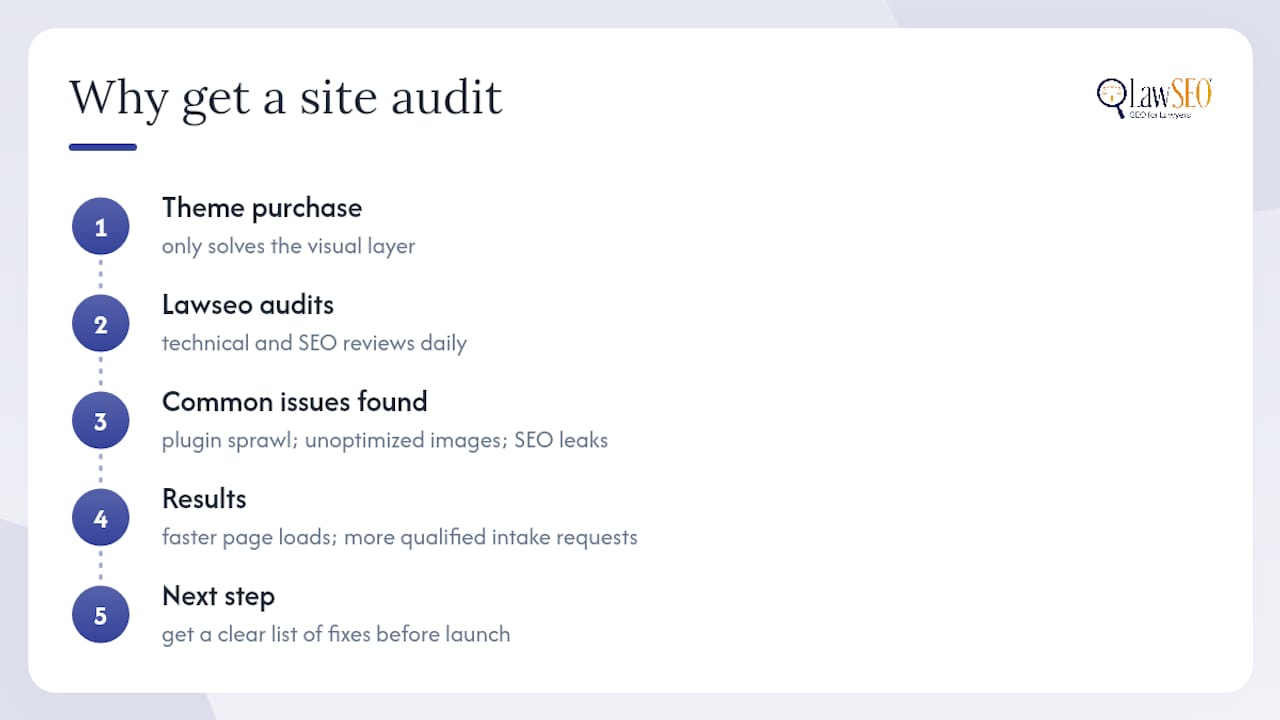
A theme purchase solves the visual layer. It doesn’t solve page speed under real traffic, attorney schema markup, or whether AI search tools can accurately summarize your practice areas to a prospective client. That’s the work Lawseo does daily for firms that want a site that converts, not just one that looks finished. Lawseo’s technical audits catch the plugin sprawl and unoptimized images that quietly slow down even a well-chosen theme, and its SEO audit service pinpoints exactly where a new site is leaking visibility before it ever ranks. The result for most clients is faster page loads and more qualified intake requests reaching the phone or contact form. If you’ve picked a theme and want a professional review before launch, start a site audit with Lawseo and get a clear list of fixes before your firm’s new site goes live.
Frequently Asked Questions
Are free law firm WordPress themes good enough for a small firm?
Free themes like Law Firm Lite work fine for solo practitioners with simple sites, but they often lack attorney profile templates and practice-area layouts that premium options include.
Do I need Elementor to use a law firm template kit?
Not always. Many kits work with Gutenberg or the Spectra block plugin, but Elementor remains common among marketplace law-firm demos.
How long does it take to launch a law firm website from a theme?
Most firms go from theme purchase to a live site in one to three weeks, depending on how much content needs writing and how many custom pages are required.
Should I prioritize design or SEO when choosing a theme?
Prioritize technical quality and SEO compatibility first. A visually appealing theme that loads slowly or lacks schema support will underperform a plainer, faster one in search results.
Sources
- 20 Best WordPress Themes for Lawyers (2026)
- Best WordPress Theme for Lawyers & Law Firms (2026) | Pixel Show
- Law firm and attorney WordPress themes in 2026 (honest picks) · ThemeBurn
- Top Features to Look for in a Lawyer WordPress Theme
- Law Firm Lite | WordPress Theme
