


Block public access to staging immediately, using HTTP authentication or an IP allowlist; that single move stops further indexing. Then confirm a crawlable noindex tag exists on staging pages and delete any staging sitemap you find. Only after access control and on-site signals are locked in should you turn to Google Search Console’s Removals tool for anything already showing up in results.
TL;DR:
- Ensuring comprehensive access control with HTTP authentication or IP allowlists is critical, covering all assets and endpoints to prevent unintentional indexing.
- Noindex tags work only if pages are crawlable; they must be present on every template and not blocked by robots.txt during deployment.
- Deleting staging sitemaps and verifying canonical tags are essential to avoid accidental discovery of staging pages through search engines.
- If staging pages are already indexed, immediately restrict access, apply noindex signals, and use Search Console Removals for rapid de-indexing.
- Automating security checks in deployment pipelines and following a detailed staging checklist helps prevent leaks before they happen.
How Do You Stop Staging Site Indexation Fast?
Treat this as triage. The order matters more than the individual steps, because acting out of sequence can leave a window where crawlers still get through.
- Lock access now. Turn on HTTP authentication or restrict staging to an IP allowlist. This is the only step that stops a crawler from fetching content at all.
- Add crawlable signals. Confirm an
X-Robots-Tag: noindexheader or meta robots tag is present, and delete the staging sitemap so nothing invites discovery. - Clean up what already leaked. If pages are indexed, use Search Console Removals for temporary hiding, but only once access is locked.
One mistake wrecks this whole sequence: copying staging’s robots.txt file to production. That file often blocks entire directories your live site needs crawled, and it happens more often than most dev teams admit.
Why Access Control Beats Everything Else
Search engines index content that they can retrieve and render. A crawler that receives a 401 response never sees a page’s text, so it has nothing to store in the inverted and vector indexes that power search results. That’s why HTTP Basic Auth and IP allowlists remain the strongest guard against staging site indexation. Everything else is backup.
Setup varies slightly by stack:
- Apache: add an
.htpasswdfile and reference it in.htaccesswithAuthType Basic. - Nginx: use the
auth_basicdirective pointed at a password file generated withhtpasswd. - cPanel: enable Directory Privacy on the staging folder, which handles the password prompt for you without touching config files.
- IP allowlists or VPNs: useful for distributed teams who want to skip password prompts, but they add friction for anyone working from a new location or a client reviewing a build.
The most common failure isn’t the setup. It’s forgetting that auth needs to cover every asset and API endpoint, not just the HTML pages, and that a deploy script sometimes strips authentication when pushing to production by accident.
Pro Tip: Test staging protection in an incognito browser window right after deployment. If you can view a page without a login prompt, a crawler can too.
Does Noindex Actually Work on Staging?
A noindex directive works, but only if search engines can read it, which means the page it sits on must remain crawlable. Blocking staging in robots.txt while also relying on noindex is a contradiction: Google can’t process a removal signal it’s told not to fetch, and disallowed URLs can still appear in search results with no snippet.
For HTML pages, a meta tag in the <head> handles it: <meta name="robots" content="noindex">. For non-HTML files like PDFs, images, or JSON responses, you need the X-Robots-Tag HTTP header instead, since there’s no <head> to place a meta tag in.
Checklist for verifying noindex actually works:
- Confirm the tag or header appears on every template, not just the homepage.
- Confirm staging isn’t blocked in
robots.txtwhile noindex is your primary removal signal. - Recheck after every deploy. CMS updates and theme changes silently drop these tags more often than teams expect.
What Role Do Robots.txt and Sitemaps Play?
Robots.txt discourages crawling. It does not guarantee deindexing, and it never has. The robots.txt standard was built as a crawl management tool, not a removal mechanism, and treating it as one is the single most common misunderstanding in staging site SEO.
Three things to get right:
- Delete staging sitemaps or block access to them entirely. A sitemap actively invites discovery; leaving one live on staging works against every other defense you’ve set up.
- Check canonical tags carefully. A staging environment cloned from production sometimes ships canonical tags that point back to the live domain, or worse, production accidentally references staging URLs after a rushed migration.
- Never let robots.txt substitute for access control. It’s a supporting signal, not a lock. Readers dealing with duplicate content from a cloned staging environment should also review how duplicate content affects ranking signals across near-identical pages.
Cleanup Workflow When Staging Is Already Indexed
If Google has already indexed staging pages, work through remediation in this order, and resist the urge to skip ahead.
- Close public access first. This stops the bleeding immediately and prevents new pages from getting picked up while you fix the rest.
- Apply a permanent removal signal. Leave a crawlable noindex in place, or return a 404/410 status if the URLs should disappear entirely rather than stay live under different rules.
- Use Search Console Removals for speed. This temporarily hides affected URLs for about six months while the permanent fix propagates through Google’s normal recrawl cycle.
Whether to redirect or return an error code depends on intent. If the staging URL has picked up backlinks worth preserving, a 301 to the correct production page passes that value along. If it’s disposable and no legitimate links point to it, 404 or 410 is cleaner and avoids muddying your redirect map.
Pro Tip: Don’t skip the Removals tool thinking noindex alone is fast enough. Google’s next crawl of an indexed page can take days or weeks; Removals buys you time immediately.
How Do You Verify Staging Pages Are Actually Gone?
Confirming removal takes more than a glance at search results. Start with Search Console’s URL Inspection tool and the Page indexing report, which shows exactly why a URL is or isn’t indexed, including whether Google sees your noindex tag at all.
For a broader sweep:
- Run an authenticated crawl with Screaming Frog or a comparable crawler, configured with your staging credentials, to confirm noindex tags and headers appear on every page type.
- Then test the same URLs without authentication, mimicking what Googlebot actually sees. A mismatch between the two crawls usually points to a caching or CDN issue overriding your headers.
- Use the
site:search operator on your staging domain periodically. It’s crude, but it catches leaks other tools miss.
Teams running frequent deploys should push these checks into CI/CD: a pipeline step that fails the build if noindex is missing or a staging sitemap exists catches the problem before it ever reaches a crawler.
Building a Staging Checklist Your Team Won’t Skip
The best fix for staging site indexation is never needing to clean it up. Bake protection into your infrastructure templates so every new staging environment launches locked by default, whether that’s Terraform, a Docker Compose file, or whatever your team uses to spin up environments.
A short, reusable checklist works better than a long one nobody reads:
- Auth or IP allowlist enabled automatically at provisioning, not added manually afterward.
- Pre-deploy check confirms noindex headers, absence of a staging sitemap, and no stray canonical tags pointing at production.
- Naming conventions and a one-line runbook so any developer knows which environment is which without guessing.
- Scheduled review to decommission old staging instances that outlive their project.
Pro Tip: Assign one person per sprint to own the staging checklist. Shared responsibility for security tasks is how they quietly stop happening.
What Prevention-First Practice Actually Looks Like
Most staging leaks trace back to one thing: teams treat indexing prevention as a launch-day afterthought instead of a default configuration. Password protection gets added after a client mentions staging showed up in a Google search, not before. That reactive pattern is expensive, because by the time someone notices, Google has often already crawled and cached pages that duplicate live content.
The fix isn’t more vigilance. It’s fewer manual steps. A checklist baked into your deployment templates outperforms a checklist someone has to remember to run. For firms managing multiple client sites or complex migrations, an outside technical review often catches the one environment everyone forgot to lock down.
— TODD
Get a Technical Audit Before Staging Costs You Rankings
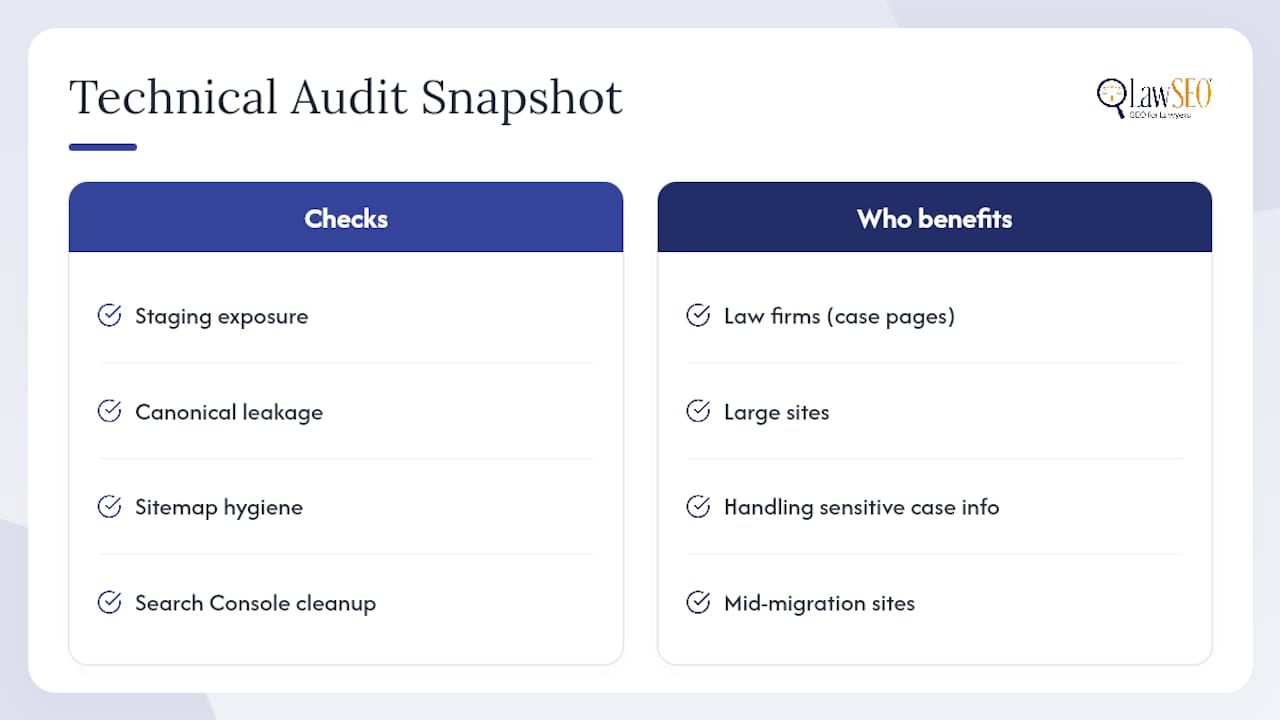
Staging leaks are exactly the kind of technical SEO problem that’s cheap to prevent and expensive to untangle once Google has indexed duplicate pages, especially for law firms where duplicate content can muddy the exact case-related pages you need ranking. Lawseo’s technical audits cover staging exposure, canonical leakage, sitemap hygiene, and Search Console cleanup, the same layered checks outlined above, applied to your actual site architecture. Firms running large sites, handling sensitive case information, or mid-migration benefit most from a specialist review rather than a DIY fix, since one missed subdomain can undo months of ranking progress. If you want a technical team to check your staging environment and production SEO health in one pass, start with Lawseo’s legal SEO services and get a straight answer on what’s exposed.
Where to Verify These Fixes Yourself
Before making changes, check the primary sources these recommendations are built on. Google’s own Search Central documentation explains indexing and removal signals directly, while Search Console’s indexing help page walks through diagnosing status issues. For crawl directive syntax, the robots.txt reference remains the standard. Pair those with an authenticated crawl in Screaming Frog and regular Search Console checks to catch regressions early.
Sources
- How Search works — Google Developers
- Google Search Help — What does it mean if my site is indexed?
- Google indexing staging site? Find and fix the leak — Alphonso Labs
- Robotstxt
