


Fast websites rank better because Google treats page speed as a confirmed ranking signal, and slow sites lose on multiple fronts simultaneously. A sluggish page drives visitors away before they read a single word, signals low quality to Googlebot, and burns crawl budget on pages that take too long to load. Speed is not the most important ranking factor, but it is the one that quietly undermines every other investment you make in content and links.
Here is why site speed matters for rankings:
- User experience: Faster pages reduce bounce rates and increase session duration, both of which send positive engagement signals to Google.
- Crawl efficiency: Googlebot throttles its crawl rate when server response exceeds roughly 500 ms, limiting how many of your pages get indexed.
- Core Web Vitals: Google uses LCP, INP, and CLS as ranking signals under its Page Experience framework.
- Conversion rates: Faster pages convert better, which improves the business case for every dollar spent on SEO.
- Tiebreaker effect: When two pages match on content quality and backlinks, the one with better Core Web Vitals ranks higher.
What is site speed and why it matters for SEO
Site speed refers to how quickly a web page loads and becomes usable for a visitor. The most commonly tracked measures are page load time, Time to First Byte (TTFB), and the Core Web Vitals metrics that Google uses to evaluate real-world user experience.
Google’s Page Experience update formalized what SEO professionals had observed for years: slow pages lose rankings. The connection runs through user behavior. A visitor who waits too long simply leaves, and that exit signal tells Google the page did not satisfy the query. Pages with high bounce rates and short session durations tend to rank lower over time, even when their content is strong.
Speed also protects your content investment. You can publish authoritative, well-researched pages, but if they load slowly, Googlebot may not crawl them often enough to keep them fresh in the index. For law firms competing in dense local markets, that delay can mean a competitor’s page appears in the results while yours sits in a discovery queue.
Google’s own guidance is clear: page experience is evaluated holistically, combining content quality and performance. Neither alone is sufficient.
- Speed affects bounce rate, session duration, and conversion rate simultaneously.
- Core Web Vitals are part of Google’s page experience signals alongside mobile-friendliness and HTTPS.
- Slow TTFB directly limits how frequently Googlebot revisits your pages.
- Speed improvements compound over time as engagement signals strengthen.
Pro Tip: Focus on field data from real users rather than lab scores. A perfect Lighthouse score in a controlled test does not move rankings. Google uses Chrome User Experience Report (CrUX) data, measured at the 75th percentile of actual visitors, to assess your Core Web Vitals.
What actually slows your website down
Understanding the factors behind slow load times is the first step toward fixing them. Most speed problems trace back to a handful of technical and infrastructure issues.
Server response time (TTFB) is the single most impactful factor for both user experience and crawl efficiency. Google’s documentation sets a target of below 300 ms for TTFB. Sites that exceed roughly 500 ms see Googlebot automatically reduce its crawl rate to avoid overloading the server.
Heavy content and unoptimized images add page weight that delays rendering. Embedding images as Base64 strings directly in HTML is a common mistake that inflates document size and slows Largest Contentful Paint significantly.
JavaScript and CSS blocking rendering prevent the browser from displaying content until scripts finish loading. Render-blocking resources are one of the most frequent causes of poor LCP scores.
Database query efficiency matters more than many site owners realize. As Google’s Gary Illyes noted in May 2025, expensive SQL queries can slow server response to the point where Googlebot reduces its crawl rate, regardless of page count.
URL inventory bloat wastes crawl budget. Faceted navigation, parameter variants, session IDs, and duplicate URLs force Googlebot to spend its budget on low-value pages instead of your core content.
- Third-party scripts (chat widgets, analytics tags, ad pixels) add latency on every page load.
- Lack of caching means the server regenerates pages for every request instead of serving stored versions.
- No content delivery network (CDN) means visitors far from your server experience higher latency.
- Redirect chains burn crawl requests. A three-hop chain uses four crawl requests to reach one destination.
- Mobile performance suffers when pages are not designed with responsive layouts and appropriately sized assets.
How to measure your website’s speed and key metrics to track
Accurate measurement requires both lab tools and real-user data. Neither alone tells the complete story.
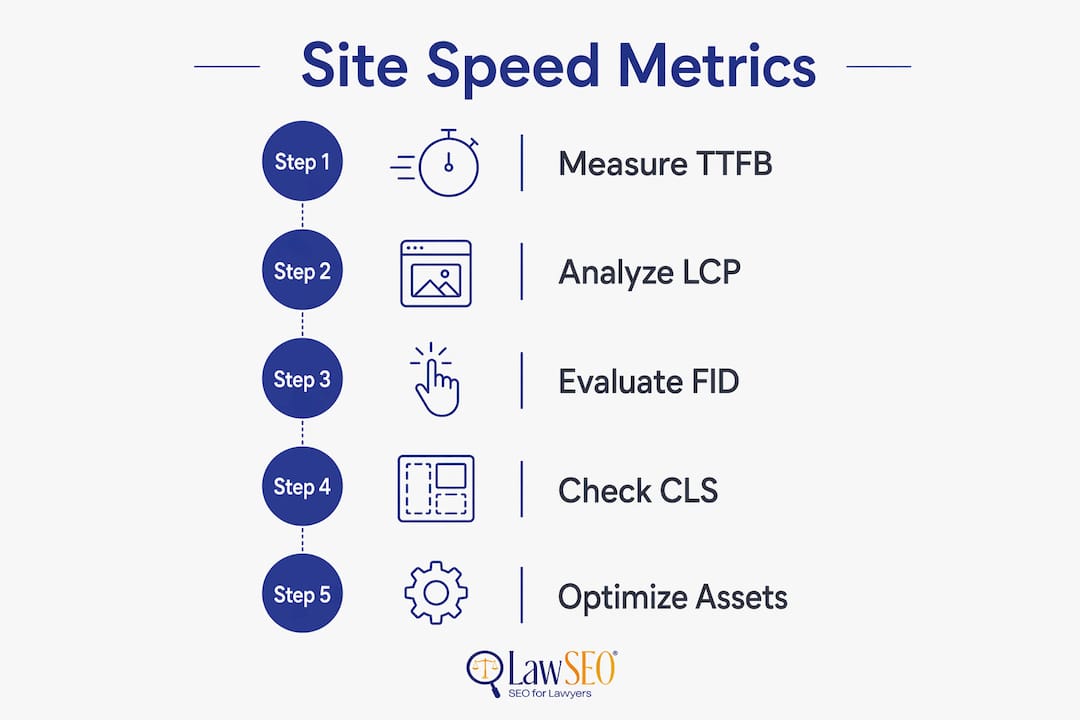
Google PageSpeed Insights combines lab data from Lighthouse with field data from CrUX, making it the most practical starting point. WebPageTest offers deeper waterfall analysis and lets you test from multiple geographic locations. Lighthouse runs in Chrome DevTools and is useful for diagnosing specific issues, but its scores do not directly affect rankings because Google uses real-user CrUX data, not lab results, for ranking assessments.
The three Core Web Vitals metrics are the ones that matter most for rankings:
| Metric | What it measures | “Good” threshold |
|---|---|---|
| Largest Contentful Paint (LCP) | How fast the main content loads | Below 2.5 seconds |
| Interaction to Next Paint (INP) | Responsiveness to user input | Below 200 milliseconds |
| Cumulative Layout Shift (CLS) | Visual stability during load | Below 0.1 |
To qualify for the full ranking benefit, 75% of your users must reach “Good” thresholds across all three metrics. Improving one metric while neglecting the others still yields partial benefit, but the full signal requires all three in the green.
Google Search Console’s Core Web Vitals report groups your URLs by status (Good, Needs Improvement, Poor) and is the right place to identify which pages need attention first. Pair it with real user monitoring to catch regressions before they affect rankings.
- Track bounce rate and average session duration alongside Core Web Vitals to see the full user experience picture.
- LCP is the highest-priority metric for SEO because it directly measures how quickly users see meaningful content.
- CLS is often the easiest to fix and worth addressing even though it has less direct ranking impact than LCP.
- INP matters most for interactive pages; content-heavy pages like law firm practice area pages are less affected.
Actionable steps to improve your site’s load time
Speed improvements follow a clear priority order: server performance first, URL quality second, and asset optimization third.
Reduce TTFB below 300 ms. Implement full-page caching so Googlebot and visitors receive pre-built HTML instead of waiting for the server to generate pages dynamically. For law firm sites running on WordPress, server-side caching plugins combined with a quality hosting provider can cut TTFB dramatically.
Deploy a CDN. A content delivery network serves static assets from servers geographically close to each visitor, reducing latency without any changes to your core infrastructure.

Optimize images. Convert images to modern formats like WebP, set explicit width and height attributes to prevent layout shifts, and never embed images as Base64 strings in HTML. That single change helped CoinStats increase URLs with Good Core Web Vitals by 300% and grow search impressions by the same amount.
Eliminate render-blocking resources. Defer non-critical JavaScript, inline critical CSS, and remove unused scripts. Third-party tags deserve particular scrutiny since each one adds a network request.
Clean your URL inventory. Remove or block parameter variants, consolidate duplicate content with canonical tags, and return 410 status codes for permanently deleted pages. Every low-value URL Googlebot crawls is a missed opportunity to crawl a page that actually matters. Improving server response time from 800 ms to 180 ms can quadruple daily crawl rates, which directly accelerates indexing for new and updated content.
- Fix redirect chains by flattening multi-hop redirects to a single direct redirect.
- Keep XML sitemaps current and include only canonical, indexable, 200-status URLs.
- Profile and optimize slow database queries using tools like EXPLAIN ANALYZE in PostgreSQL or MySQL.
- Block faceted navigation combinations that generate zero organic traffic using robots.txt.
- Test mobile performance separately. Mobile CrUX scores are what Google uses for mobile search rankings.
How site speed fits into a legal SEO strategy
For law firms, site speed is table stakes, not a differentiator on its own. The legal search market is intensely competitive, with multiple firms targeting identical practice area keywords in the same city. In that environment, Core Web Vitals function as a tiebreaker: when two pages match on content depth, backlinks, and topical authority, the faster one ranks higher.
Todd R. Stager, founder of Lawseo with over 29 years of SEO experience, frames it this way:
The impact of site speed on SEO for law firms extends beyond rankings. A faster site builds trust with prospective clients who arrive from search. A visitor evaluating whether to call an attorney makes that judgment in seconds, and a slow, visually unstable page signals the same lack of care as an outdated office. Speed and design quality together communicate professionalism before a single word is read.
Lawseo integrates Core Web Vitals audits into every client campaign because speed problems compound. A firm that lets its CWV scores slip into “Poor” territory faces a negative feedback loop: lower rankings produce less traffic, which reduces the engagement data Google uses to assess page quality, which further suppresses rankings. Fixing speed early keeps that loop spinning in the right direction. For a complete picture of how performance fits into a full legal SEO campaign, the step-by-step sitewide SEO guide for law firms covers each layer in detail.
One important misconception to address: speed alone will not move a law firm from page three to page one. Google’s own documentation states that great page experience does not override great content. The relationship between content quality and speed is complementary, not competitive. Strong content gets you into contention; strong performance keeps you there.
What the data shows about speed and ranking changes
The evidence connecting speed improvements to ranking gains is consistent, though the effect size depends heavily on how competitive the keyword is and where the site starts.
CoinStats identified that slow LCP scores, caused by Base64-encoded images embedded in HTML, were driving high bounce rates across key pages. After replacing those images with standard src attributes, they increased URLs with “Good” Core Web Vitals scores by 300% and saw search impressions grow by the same amount. The fix was technical, not editorial, and the ranking benefit followed directly.
An e-commerce site documented by Conductor Academy ran a full crawl budget program covering duplicate consolidation, faceted navigation management, and server speed improvements. Over two years, its daily crawl rate grew from 60,000 to 600,000 URLs. Pages that had been stuck in “Discovered, currently not indexed” for months began appearing in results within weeks of the crawl rate increase.
Google Search Advocate John Mueller has confirmed that sites moving from “Needs Improvement” to “Good” Core Web Vitals status can see ranking improvements. Sites already in “Good” territory that shave a few milliseconds off their scores typically see no measurable change. The practical takeaway: prioritize getting every key page to “Good” across all three metrics, then shift focus back to content and links.
The benefits of fast loading sites extend beyond rankings to conversion rates, which matters especially for law firms where each new client inquiry has real revenue value. Speed improvements and SEO gains tend to reinforce each other over time, making early investment in performance one of the higher-return technical decisions a firm can make.
Key Takeaways
Fast websites rank better because speed improves user engagement, enables efficient crawling, and serves as Google’s tiebreaker when competing pages match on content quality and backlinks.
| Point | Details |
|---|---|
| Core Web Vitals are a confirmed ranking signal | LCP below recommended thresholds, INP below recommended thresholds, and CLS below recommended thresholds are the qualitative thresholds Google uses to assess page experience. |
| Speed acts as a tiebreaker, not a trump card | Pages equal in content quality but with better Core Web Vitals rank higher; speed alone cannot overcome weak content. |
| TTFB drives crawl efficiency | Googlebot throttles crawl rate when server response is slow, limiting how many pages get indexed. |
| Real-user data determines ranking impact | Google uses CrUX field data, not Lighthouse lab scores, to evaluate Core Web Vitals for rankings. |
| Faster TTFB can significantly increase crawl rates, accelerating indexing of new content. |
Lawseo specializes exclusively in SEO and digital marketing for law firms. If your firm’s site speed or Core Web Vitals scores are holding back your search rankings, contact Lawseo to learn how a performance-focused legal SEO strategy can protect and grow your page-one positions.
