


Every law firm faces the challenge of turning website visitors into actual clients. Without a clear structure that addresses specific client needs and business goals, your site risks attracting the wrong traffic or losing valuable leads. By focusing on user-centered site hierarchy and data-driven audience segmentation, you can build a framework that supports better SEO while preparing for the demands of AI-driven search. This guide highlights practical steps to help your firm improve discoverability, usability, and client conversions.
Table of Contents
- Step 1: Assess Firm Goals And Target Audience Needs
- Step 2: Plan Site Hierarchy For Intuitive Navigation
- Step 3: Implement Essential Seo Foundations And Schema
- Step 4: Optimize Key Practice Area And Attorney Pages
- Step 5: Verify Ai-Readiness And Test Website Performance
Quick Summary
| Key Message | Explanation |
|---|---|
| 1. Define firm objectives | Clearly outline your firm’s goals to guide all SEO efforts, including keyword targeting and content creation. |
| 2. Segment your audience | Identify and categorize your ideal clients to tailor content and improve engagement based on their needs. |
| 3. Structure site hierarchy | Plan an intuitive navigation to enhance user experience and ensure visitors can find information easily. |
| 4. Implement foundational SEO | Optimize on-page elements and incorporate schema markup for better search engine visibility and client attraction. |
| 5. Test website performance | Regularly assess your site’s speed and responsiveness to enhance user experience and maintain high search rankings. |
Step 1: Assess firm goals and target audience needs
Before you optimize anything on your website, you need a clear picture of what your firm actually wants to accomplish and who you’re trying to reach. This foundational step determines everything that comes next, from the keywords you target to the content you produce to the way you structure your entire site. Without this clarity, you’ll end up chasing SEO tactics that don’t align with your business reality, wasting time and resources on traffic that never converts.
Start by defining your firm’s specific business objectives. Are you trying to establish dominance in a particular practice area? Do you want to expand into new geographic markets? Are you focused on increasing case volume from a specific client type? Write these down in concrete terms. Next, map out who your ideal clients actually are. Most potential clients search online for legal services, so identifying keywords tied to your practice areas and locations gives you insight into what problems they’re solving and what language they use. Think about their demographics, their legal situations, their pain points, and their decision-making processes. Are they small business owners searching at midnight about incorporation? Accident victims looking for personal injury representation? Families navigating estate planning? Each group behaves differently and searches differently.
Now segment your audience into primary, secondary, and tertiary groups. Your primary audience represents your most profitable, easiest-to-serve clients. Secondary audiences are valuable but require more explanation or have longer sales cycles. Tertiary audiences are lower priority but still worth consideration. Using demographic data and customer behavior to create personalized content helps you focus your efforts on the audiences that matter most. For each segment, document what questions they ask, what concerns they have, what outcomes they want, and what words they use to search. This intelligence becomes the backbone of your content strategy and helps you connect potential clients with your services in ways that actually resonate with them.
Here’s how primary, secondary, and tertiary audience segments differ for a law firm:
| Audience Segment | Key Characteristics | Typical Needs |
|---|---|---|
| Primary | Most profitable, easy to serve | Direct answers, immediate help |
| Secondary | Valuable but more complex | In-depth info, longer evaluation |
| Tertiary | Lower priority, niche cases | Basic info, occasional support |
Pro tip: Create a simple one-page target audience profile for each major client segment, including their typical legal situation, search behavior, and what information would convince them to call your firm. Keep these profiles visible during your content planning so you stay focused on audience needs rather than generic legal explanations.
Step 2: Plan site hierarchy for intuitive navigation
Your site hierarchy is the backbone of how potential clients find information on your website. This step determines whether visitors can locate the practice area they need, find attorney profiles, or understand your service offerings without getting lost in confusing menu structures. A well-planned hierarchy reduces frustration, keeps visitors on your site longer, and signals to search engines that your content is organized in a logical, trustworthy way.

Begin by mapping out your main content categories based on your practice areas and the audience segments you identified earlier. If your firm handles family law, personal injury, and estate planning, these become your primary navigation buckets. Within each practice area, organize content hierarchically so related pages connect logically. For example, your family law section might include divorce, custody, and mediation, each with their own relevant content and attorney listings. The key is creating a structure that mirrors how potential clients think about their legal problems. When someone arrives at your site searching for divorce representation, they should intuitively find what they need within two or three clicks. A clear, logical hierarchy that groups related content and minimizes clicks supports both user experience and your SEO performance because search engines reward sites that are easy to crawl and understand.
Consider your navigation depth and breadth carefully. Depth refers to how many clicks it takes to reach a page, while breadth refers to how many options appear in your main menu. Too much breadth overwhelms visitors with choices, while too much depth buries important content behind multiple menu levels. Testing navigation depth and breadth helps you find the right balance. For law firms with multiple practice areas and attorneys, side navigation often works well because it helps users understand where they are within the site while providing easy access to related sections. Test your structure by walking through common user journeys. Can someone quickly find information about your specific practice areas? Can they easily locate attorney bios? Does the structure make sense if someone enters through different entry points?
Pro tip: Create a visual sitemap on paper or using a simple tool, then have team members and a few trusted clients navigate through it without guidance. Their confusion points reveal exactly where your hierarchy breaks down, saving you from launching a structure that frustrates visitors.
Step 3: Implement essential SEO foundations and schema
With your site structure in place, you now need to build the technical SEO foundations that allow search engines to understand and properly display your firm’s information. This step involves both foundational SEO elements and schema markup, which together create a signal of authority and relevance that search engines use to rank your pages and display rich information about your practice in search results.
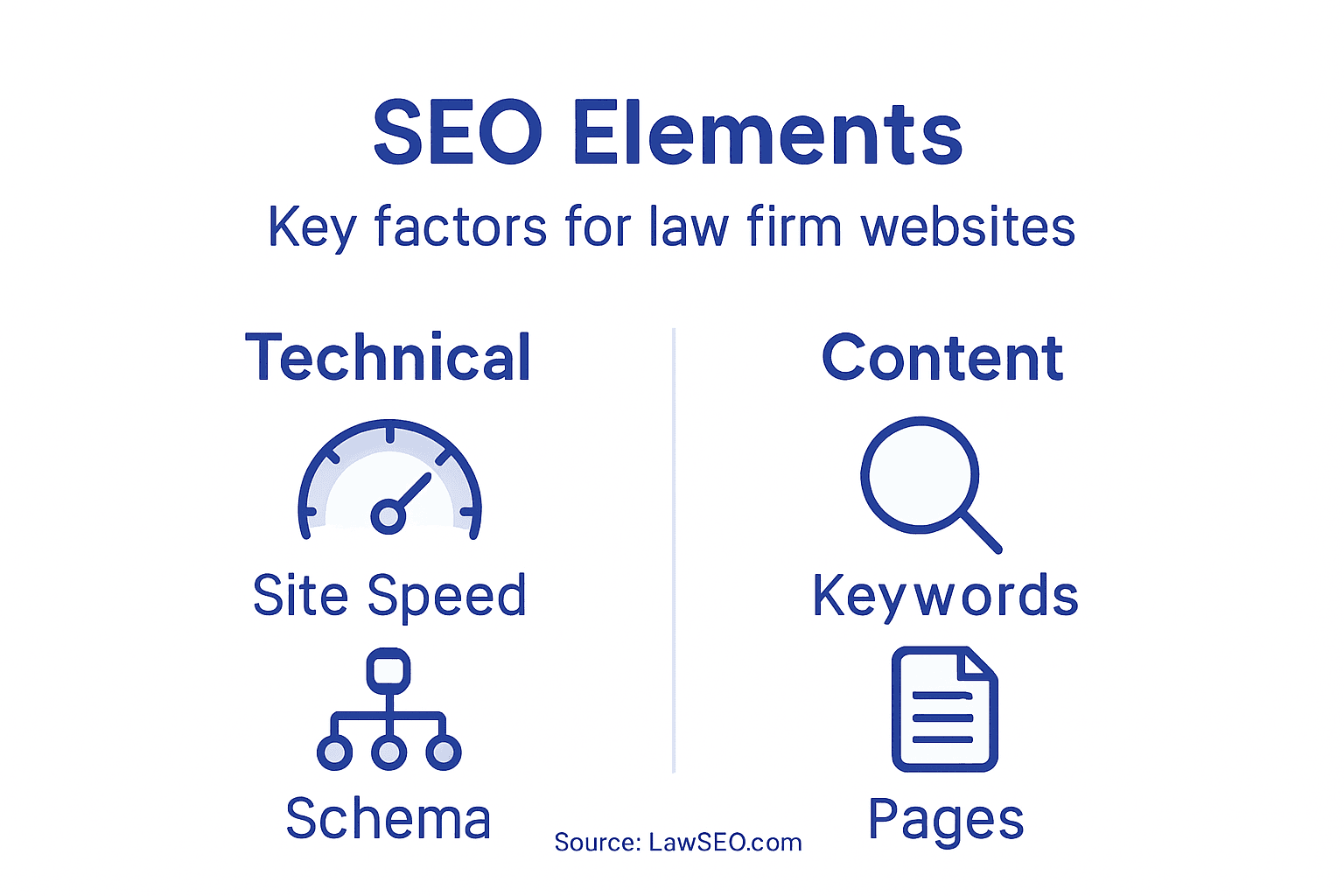
Start with the core SEO foundations that every law firm website needs. Conduct thorough keyword research for your practice areas, locations, and common client questions. Then optimize your on-page elements including title tags, meta descriptions, header tags, and internal linking structures. These elements tell search engines what your pages are about and how they relate to each other. Beyond these basics, ensure your site loads quickly, functions properly on mobile devices, and follows technical optimization best practices. These factors directly impact both user experience and search rankings. Next, implement schema markup for law firm information using JSON-LD format, which is the most effective implementation method for law firms. Schema markup is structured data that helps search engines understand specific details about your firm, such as attorney profiles, practice areas, contact information, client reviews, and office locations. When you add schema markup, search engines display rich snippets in search results that show star ratings, practice areas, phone numbers, and other firm details directly in the search listing. This makes your firm stand out compared to competitors and significantly improves click-through rates.
Focus your schema implementation on the information that matters most to potential clients. Create attorney schema that includes names, credentials, practice areas, and photos. Add local business schema for each office location with address, phone number, and hours. Include review schema if you have client testimonials. Keyword research, technical optimization, and metadata elements work together with schema markup to ensure search engines accurately display your firm details and improve visibility for clients searching for legal services. Test your schema using Google’s Rich Results Test to verify it’s implemented correctly and will display properly in search results. Don’t assume it’s working correctly without verification.
Below is a summary of essential SEO foundations and schema types for law firm sites:
| SEO Element | Main Purpose | Business Impact |
|---|---|---|
| Title Tags | Clarify page topic | Improve search rankings |
| Schema Markup | Structure key details | Enable rich search snippets |
| Internal Linking | Connect related pages | Boost page discoverability |
| Fast Load Speed | Enhance user experience | Increase visitor retention |
Pro tip: Start with attorney and local business schema since these directly impact how potential clients find you, then expand to practice area and review schema once the foundational markup is working correctly. Prioritize what matters most rather than trying to implement every possible schema type at once.
Step 4: Optimize key practice area and attorney pages
Your practice area and attorney pages are where potential clients decide whether your firm is the right fit for their legal needs. These pages must be optimized not just for search engines, but for the actual decision-making process your prospects go through. This step transforms these critical pages into conversion machines that rank well and convince visitors to contact your firm.
Start by optimizing your practice area pages with targeted keyword research specific to each practice. If you handle employment law, your divorce page should target divorce-related keywords while your employment discrimination page targets different search terms. Write detailed, informative content that addresses the specific questions potential clients ask about that practice area. Include client-focused frequently asked questions that directly answer the concerns someone searching for your services would have. For example, a divorce practice area page should answer questions like “How long does a divorce take?” and “What is spousal support?” rather than generic legal definitions. Structure your content with clear headings, subheadings, and short paragraphs that are easy to scan. Optimizing practice area and attorney pages with relevant keywords naturally, along with detailed content and client testimonials, significantly improves both search rankings and user trust in your firm’s expertise.
For attorney profiles, highlight specific credentials, practice areas, years of experience, and notable accomplishments. Include a professional photo and clear contact options. These pages should feel personal and trustworthy while also being technically optimized. Apply on-page SEO techniques like descriptive title tags, meta descriptions, and header tag structure to each attorney page just as you would for practice area pages. Optimize images with descriptive alt text that includes relevant keywords. Use internal links strategically to connect related practice areas and attorney profiles together. For example, link from a personal injury practice area page to attorneys who specialize in that area. These internal connections help search engines understand your site structure while guiding potential clients to the right attorney for their specific needs. Test your pages on both desktop and mobile to ensure they load quickly and display properly.
Pro tip: Create one comprehensive, well-optimized practice area page first, then use it as a template for all other practice area pages. This ensures consistency in structure while making the optimization process faster for your team.
Step 5: Verify AI-readiness and test website performance
Your website now needs to be tested thoroughly to ensure it performs well for both human visitors and AI systems that crawl and index your content. Modern search is increasingly powered by generative AI tools and chatbots that pull information from websites, so your site must be fast, secure, and structured in ways these systems can understand. This step ensures your investment in SEO actually delivers results by catching performance issues before they hurt your rankings.
Start by assessing your website’s AI-readiness. This means verifying that your content is accessible to AI systems, your schema markup is correctly implemented, and your site architecture allows AI crawlers to find and understand your information easily. AI readiness assessment involves evaluating security, fairness, and transparency in how your website handles and presents information. Make sure your robots.txt file and meta tags aren’t blocking AI crawlers from important pages. Test that your JSON-LD schema is valid and complete. Verify that your firm’s key information like practice areas, attorney credentials, and contact details are clearly presented in ways that AI systems can parse and use. Run your site through Google’s Rich Results Test to confirm your schema markup displays correctly. Next, conduct comprehensive performance testing across your entire website.
Performance directly impacts both user experience and search rankings. Measure critical metrics including Time to First Byte, Largest Contentful Paint, and Interaction to Next Paint which indicate how quickly your pages load and become interactive. Use tools like Google PageSpeed Insights or GTmetrix to identify bottlenecks such as unoptimized images, render-blocking scripts, and excessive HTTP requests. Optimize images by compressing them without losing quality and serving appropriately sized versions for different devices. Minimize JavaScript and CSS files where possible. Enable browser caching so repeat visitors experience faster loads. Test your site on slow mobile connections to see how it performs for users on less reliable networks. Check that your website loads quickly on both desktop and mobile devices. Performance problems directly reduce conversions and hurt your SEO visibility, so address these issues before they cost you potential clients.
Pro tip: Run your website through performance testing tools monthly, not just once during initial launch. Performance degrades as you add content and plugins, so regular monitoring catches issues before they impact your search rankings and client inquiries.
Unlock Your Law Firm Website’s Full SEO Potential Today
The article highlights critical pain points law firms face like creating a clear site hierarchy, optimizing practice area and attorney pages, and ensuring your site is AI-ready. These challenges can lead to lost leads and low visibility if not strategically addressed. Without a tailored approach that aligns your website structure with client needs and search engine demands, your firm risks missing out on valuable traffic and potential clients.
At LawSEO.com, we specialize exclusively in helping law firms like yours overcome these exact obstacles. Our founder-led team with nearly 30 years of SEO expertise understands the legal market inside and out. From crafting intuitive site architectures to implementing advanced schema markup that captures the attention of AI-driven search platforms, we provide a comprehensive, proven strategy. We focus on results that matter most: higher rankings, increased qualified leads, and client acquisition.
Are you ready to transform your website into a powerful inbound client generation machine? Visit LawSEO.com now and discover how our specialized services can help you build a law firm website optimized for maximum SEO impact and future-proofed for AI search. Don’t wait — the clients you want are searching today, and your competition is already optimizing.
Frequently Asked Questions
What are the key steps to structure a law firm website for SEO impact?
Start by assessing your firm’s goals and target audience needs, then plan your site hierarchy for intuitive navigation. Finally, implement essential SEO foundations and optimize key practice area and attorney pages to improve search visibility.
How can I identify my law firm’s primary audience segments?
Document the characteristics of your ideal clients, including their legal situations and common questions. Segment your audience into primary, secondary, and tertiary groups based on profitability and complexity to tailor your content accordingly.
What is the importance of schema markup for a law firm website?
Schema markup helps search engines understand your firm’s details, such as practice areas and attorney profiles. Implement relevant schema to improve how your firm appears in search results, potentially increasing click-through rates by showcasing rich snippets.
How should I optimize practice area pages for better SEO?
Optimize practice area pages by targeting specific keywords and addressing common client questions with detailed content. Include headings for easy scanning, FAQs relevant to the practice area, and internal links to related attorney profiles for better navigation.
What are key technical aspects to verify for website performance?
Ensure your site loads quickly, functions well on mobile devices, and has valid schema markup. Regularly test performance metrics like page load speed and optimize elements such as images and scripts monthly to maintain an efficient user experience.
How can I measure the effectiveness of my law firm’s website structure?
Conduct usability tests with team members and clients to identify navigation issues. Gather feedback on whether users can easily find practice areas and attorney information, and adjust your site structure based on their insights to improve overall user experience.