


TL;DR:
- Alt text is essential for legal websites as it improves accessibility and search engine rankings. Many law firm sites have missing or poorly written alt text, creating legal and SEO risks. Incorporating descriptive alt text during content creation ensures compliance and enhances online visibility.
Alt text is a brief textual description embedded in an image’s HTML code that makes legal websites accessible to visually impaired users and tells search engines what an image depicts. For law firms, this single attribute carries outsized weight. Missing alt text affects 55.5% of law firm websites, creating simultaneous accessibility failures and SEO blind spots. Tools like axe DevTools, WAVE, and Google Lighthouse can detect these gaps in minutes. The alt text importance for lawyers extends well beyond technical compliance. It shapes how potential clients find your firm online and whether your site serves every visitor equally.
Why alt text matters for lawyers and legal websites
Alt text sits at the intersection of two obligations every law firm carries: serving all clients and competing for visibility online. Descriptive alt text enables screen readers to convey image content to users with visual impairments, while simultaneously giving Google and AI search platforms the context they need to index visual content accurately. A photo of your firm’s founding partner labeled only “IMG_4821.jpg” is invisible to both a screen reader user and a search crawler. Rename that description to “Chicago personal injury attorney John Reyes speaking with client” and you have served both audiences at once.
The dual benefit is not theoretical. Accessible sites provide better navigation and credibility, which directly increases client engagement and conversion rates. Law firms that treat alt text as a checkbox item miss the compounding return that comes from doing it well consistently.
What are the accessibility standards attorneys must meet?
The Web Content Accessibility Guidelines, known as WCAG 2.1 AA, set the recognized standard for digital accessibility in the United States. Under these guidelines, every meaningful image on a law firm website requires a descriptive alt attribute. The Americans with Disabilities Act extends these requirements to commercial websites, and courts have consistently applied ADA standards to attorney sites. Non-compliance creates real litigation exposure, not just reputational risk.
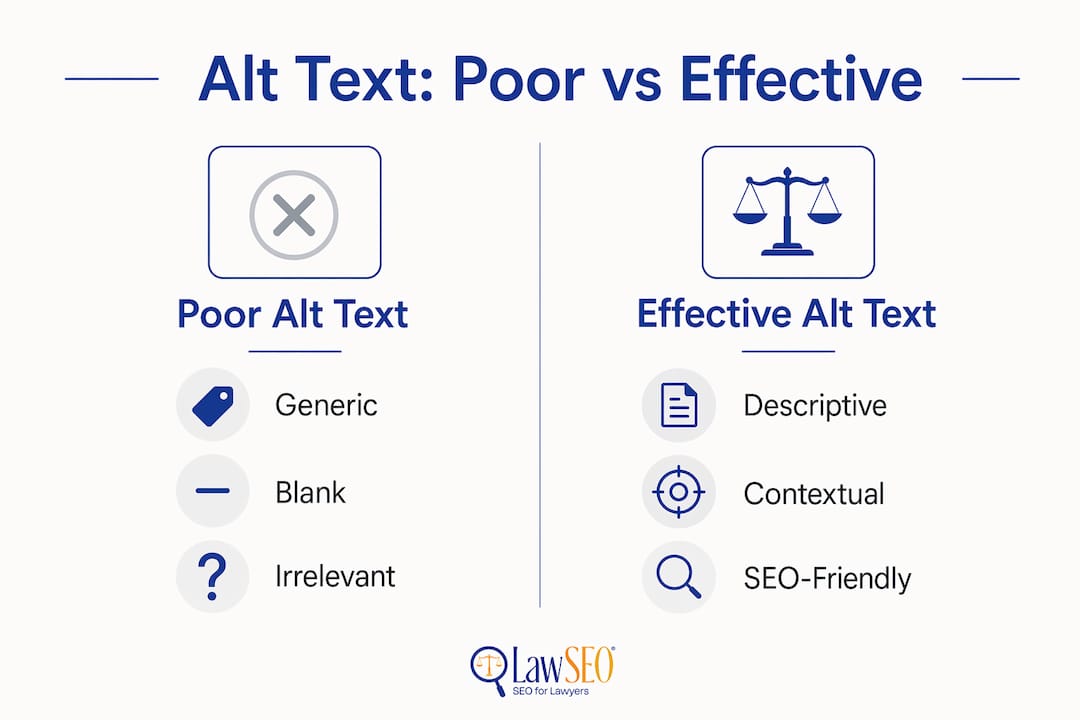
Common WCAG violations on law firm sites include missing alt attributes entirely, empty alt text where a description is required, and generic text like “photo” or “image” that conveys nothing. Each failure is a documented compliance gap that plaintiffs’ attorneys have used in ADA website lawsuits.
Common alt text violations on attorney websites:
- Missing alt attributes on attorney headshots and team photos
- File names used as alt text (e.g., “DSC_0042.jpg”)
- Generic labels like “image,” “photo,” or “graphic”
- Alt text that repeats the surrounding caption word for word
- Missing alt text on infographics containing legal information
Pro Tip: Not every image needs descriptive alt text. Decorative images, such as background textures or purely stylistic dividers, should use an empty alt attribute (alt=“”) so screen readers skip them entirely. This distinction is part of ADA compliance requirements and prevents screen reader users from hearing irrelevant noise.
Manual testing with actual screen readers like NVDA or VoiceOver, combined with automated scanning via axe DevTools or WAVE, identifies the majority of accessibility failures. Automated tools catch structural issues fast. Manual testing reveals whether the alt text actually communicates meaning to a real user.
How does alt text improve SEO for law firms?
Google and AI search platforms like Perplexity and Google’s AI Overviews cannot see images. They read the alt attribute to understand what an image shows and how it relates to the surrounding content. A law firm that publishes a detailed article on wrongful termination but leaves every image untagged loses all the SEO value those images could have contributed. Alt text improves topical authority and helps images rank in Google Image Search, which drives additional organic traffic beyond standard web results.
The SEO mechanics work in four specific ways:
- Image indexing. Google uses alt text to categorize and rank images in search results. An attorney photo with alt text “Houston family law attorney Sarah Kim” can appear in image searches for Houston family lawyers.
- Topical relevance signals. Alt text reinforces the keyword theme of a page. A page about estate planning that includes images tagged with relevant alt text sends stronger topical signals to Google than one with blank image fields.
- AI platform parsing. Generative AI tools that surface legal answers rely on structured, readable content. Images without alt text are invisible to these systems, reducing a firm’s chances of appearing in AI-generated responses.
- Reduced bounce rate. When images fail to load, alt text displays in their place. A descriptive fallback keeps users on the page rather than bouncing, which is a positive engagement signal for search rankings.
Pro Tip: Incorporate your primary practice area and location naturally into alt text. “Personal injury lawyer consultation in Dallas” works well. Avoid stuffing multiple keywords into a single alt attribute. Google treats keyword-stuffed alt text as a spam signal, which can suppress rankings rather than improve them.
Firms relying on “set and forget” website strategies miss ongoing alt text opportunities every time new content is published. Each new image is a fresh chance to reinforce topical authority or a fresh gap if left untagged.
What mistakes do lawyers make with alt text, and how do you fix them?
The most common error is leaving the alt attribute blank on images that carry real meaning. Blank or generic alt text fails WCAG standards and removes any SEO value the image could have provided. The fix is straightforward: write a concise, specific description of what the image shows and why it is on the page.
Alt text comparison: poor vs. effective for legal websites
| Image type | Poor alt text | Effective alt text |
|---|---|---|
| Attorney headshot | “photo” | “Boston employment attorney Maria Chen” |
| Office exterior | “building” | “Smith & Associates law office in downtown Denver” |
| Client consultation | “IMG_2034.jpg” | “Attorney reviewing case documents with client” |
| Legal infographic | “infographic” | “Steps in a personal injury claim in California” |
| Team photo | “lawyers” | “Criminal defense legal team at Johnson Law Group” |
The table above shows a pattern. Effective alt text answers two questions: who or what is in the image, and what is the context? It does not need to be long. Most strong alt text runs between 8 and 15 words.
Additional mistakes to eliminate from your workflow:
- Writing alt text that duplicates the image caption verbatim
- Using the same alt text on multiple different images
- Skipping alt text on clickable images, which also need descriptive text for screen reader users
- Treating alt text as optional for mobile image uploads
Good alt text must be concise, descriptive, and functional, tailored to what the image actually shows. Vague descriptions are only marginally better than no description at all.
How to build alt text into your law firm’s content workflow
Alt text quality degrades when it is treated as an afterthought. The firms that maintain strong image accessibility are the ones that build it into the publishing process before content goes live, not after an audit flags the problem.
Steps to integrate alt text into your firm’s content workflow:
- Set a publishing standard. Require alt text for every image before any page or blog post is approved for publication. Make it a mandatory field in your content management system, whether that is WordPress, Squarespace, or a custom CMS.
- Train content creators. Paralegals, marketing staff, and attorneys who upload images need to understand the difference between decorative and meaningful images. A 30-minute training session eliminates most recurring errors.
- Schedule quarterly audits. Use axe DevTools or WAVE to scan the full site every quarter. New pages accumulate new images, and audits catch gaps before they compound.
- Test with a screen reader. Run NVDA or Apple VoiceOver on your key practice area pages at least twice a year. Automated tools miss context errors that a real screen reader reveals immediately.
- Track image SEO performance. Use Google Search Console to monitor impressions from image search. Improved alt text shows up as increased image search traffic over time.
Accessibility aligns with professional values and market positioning, beyond mere legal compliance. A firm that demonstrates commitment to serving every visitor, including those using assistive technology, signals the same attention to detail clients expect in legal representation. That reputation compounds. It shows up in referrals, reviews, and the trust signals that AI search platforms increasingly use to rank authoritative legal content. For a deeper look at how accessibility affects law firm SEO, the overlap between compliance and search performance is more direct than most attorneys realize.
Key Takeaways
Alt text is a non-negotiable element of legal website optimization because it simultaneously satisfies ADA compliance requirements and strengthens organic search performance.
| Point | Details |
|---|---|
| Widespread compliance gap | 55.5% of law firm websites have missing alt text, creating legal and SEO risk. |
| Dual function | Alt text serves screen reader users and tells search engines what images depict. |
| WCAG 2.1 AA standard | Meaningful images require descriptive alt text; decorative images use alt=“” to be skipped. |
| SEO impact | Descriptive alt text improves image indexing, topical authority, and AI platform visibility. |
| Workflow integration | Mandate alt text at the point of upload and audit quarterly to prevent recurring gaps. |
Alt text is the detail that separates serious firms from the rest
After nearly three decades working in SEO, I have reviewed hundreds of law firm websites. The pattern I see most often is not a lack of effort. It is a lack of awareness about where the gaps are. Alt text is the single most overlooked technical element on attorney sites, and it is also one of the easiest to fix once a firm commits to it.
What strikes me most is the missed opportunity. A personal injury firm in Phoenix publishes compelling case result pages with strong photography. Every image is blank in the alt field. That firm is invisible in image search, invisible to AI platforms parsing visual content, and technically non-compliant with ADA standards. Three problems, one fix.
The SEO landscape is shifting toward AI-driven results. Platforms like Google’s AI Overviews and Perplexity pull structured, readable content to generate answers. Images without alt text are simply not part of that conversation. Firms that want to appear in AI-generated legal answers need every element of their site to be machine-readable, and alt text is foundational to that.
My advice to any attorney reading this: do not wait for an ADA complaint or a traffic drop to address alt text. Run a WAVE scan on your site today. Fix what it finds. Then build the workflow so the problem does not return. The firms that treat accessibility as a professional standard, not a compliance burden, are the ones that build lasting digital authority. That authority translates directly into client acquisition.
— TODD
Work with Lawseo to fix your firm’s alt text and SEO gaps
Lawseo works exclusively with law firms and attorneys, which means every recommendation is grounded in the specific compliance and competitive realities of legal marketing. If your site has missing alt text, it also has broader SEO gaps for attorneys that a professional audit will surface. Lawseo’s founder, Todd R. Stager, brings over 29 years of SEO experience to every client campaign, personally reviewing strategy and execution. From alt text correction to full law firm SEO strategy, Lawseo delivers the technical depth and legal sector knowledge your firm needs to compete in 2026 and beyond.
FAQ
What is alt text on a law firm website?
Alt text is a written description added to an image’s HTML code that screen readers read aloud to visually impaired users and that search engines use to index image content. Every meaningful image on an attorney website should have descriptive alt text.
Is missing alt text an ADA violation for attorneys?
Yes. Courts have applied ADA accessibility standards to commercial websites, including law firm sites. Missing or inadequate alt text on meaningful images is a documented WCAG 2.1 AA failure that creates legal exposure.
How does alt text help a law firm rank higher on Google?
Google uses alt text to understand and categorize images. Descriptive alt text reinforces the topical relevance of a page and enables images to appear in Google Image Search, which drives additional organic traffic to the firm’s site.
What tools detect missing alt text on attorney websites?
axe DevTools, WAVE, and Google Lighthouse all detect missing or empty alt text automatically. Combining these tools with manual screen reader testing using NVDA or VoiceOver provides the most complete picture of accessibility gaps.
How long should alt text be for legal website images?
Effective alt text typically runs 8–15 words. It should describe who or what is in the image and provide enough context for a screen reader user to understand the image’s purpose without reading the surrounding text.
