


Clients expect law firms to be accessible not just in their offices but online as well. For partners and marketing directors, making your firm’s website accessible is more than a compliance checkbox—it’s a commitment to equal access to legal services. When your website supports all users, including those with visual, auditory, or physical disabilities, you widen your reach and protect your firm from legal risks while building a stronger client reputation.
Table of Contents
- Defining Website Accessibility For Law Firms
- Legal Standards: ADA, WCAG, And State Laws
- Common Accessibility Barriers Facing Law Firms
- Consequences Of Non-Compliance And Legal Risks
- How Accessibility Enhances Law Firm SEO
- Best Practices For Achieving Compliance
Key Takeaways
| Point | Details |
|---|---|
| Website accessibility is essential for law firms | Ensuring equal access for individuals with disabilities is a legal and ethical obligation that supports inclusive service delivery. |
| Compliance with standards is critical | Adhering to the ADA, WCAG 2.1 AA, and state laws is necessary to avoid legal risks and lawsuits. |
| Conduct regular audits | Implement annual accessibility audits to identify and address potential barriers, enhancing user experience and legal compliance. |
| Optimize for SEO through accessibility | Enhancing website accessibility also improves search engine performance, making the site more visible and user-friendly. |
Defining Website Accessibility for Law Firms
Website accessibility is a critical legal and ethical requirement that ensures individuals with disabilities can effectively navigate, understand, and interact with online legal resources. Comprehensive web accessibility means designing digital platforms that accommodate diverse user needs, including those with visual, auditory, physical, cognitive, and neurological differences.
For law firms, website accessibility goes beyond mere compliance—it represents a fundamental commitment to equal legal service delivery. This approach requires intentional design strategies that remove digital barriers and create inclusive online experiences. Key accessibility considerations include:
- Providing alternative text for images
- Ensuring keyboard navigation compatibility
- Creating clear, readable font styles
- Supporting screen reader technologies
- Maintaining sufficient color contrast
- Implementing responsive design for multiple devices
Legal websites have a unique responsibility to make critical information accessible. Web accessibility guidance from the Americans with Disabilities Act (ADA) emphasizes that digital platforms must be as navigable for individuals with disabilities as physical office spaces.
Technological compatibility is another crucial aspect of website accessibility. Law firms must ensure their digital platforms work seamlessly with assistive technologies like screen readers, voice recognition software, and alternative input devices. This means structuring web content in ways that can be interpreted and navigated by users with varying capabilities.
Pro tip: Conduct a professional accessibility audit annually to identify and remediate potential digital barriers in your law firm’s website design.
Legal Standards: ADA, WCAG, and State Laws
Website accessibility for law firms is governed by a complex web of federal and state regulations designed to ensure digital inclusivity. Federal accessibility guidelines mandate that websites must provide equal access to individuals with disabilities, with the Americans with Disabilities Act (ADA) serving as the primary legal framework for digital accessibility standards.
The ADA encompasses two critical components that directly impact law firm websites:
- Title II: Applies to state and local government websites
- Title III: Covers public accommodations and commercial websites
- Requires technical compliance with Web Content Accessibility Guidelines (WCAG)
- Imposes potential legal liability for non-compliance
Web Content Accessibility Guidelines (WCAG) represent the most comprehensive technical standard for digital accessibility. United States accessibility laws recognize WCAG 2.1 Level AA as the benchmark for compliance, providing a detailed framework for creating accessible digital experiences.
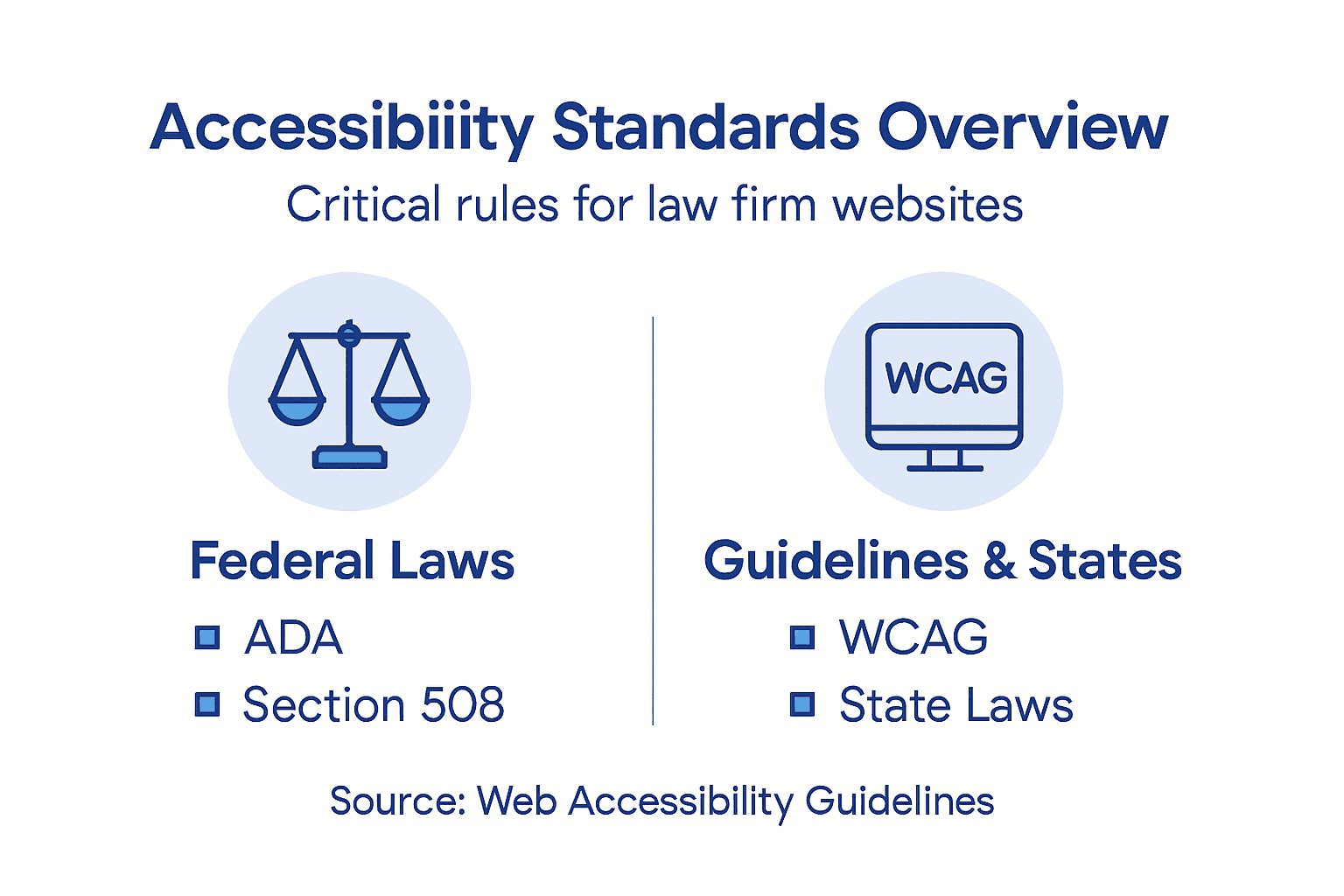
State-level regulations further complement federal requirements, with many jurisdictions implementing their own digital accessibility laws. These state-specific regulations often mirror or exceed ADA standards, creating a multi-layered compliance landscape that law firms must carefully navigate.
Pro tip: Consult with a specialized digital accessibility legal expert to ensure your law firm’s website meets both federal and state-level compliance requirements.
Here is a summary of key accessibility standards and what they require law firm websites to implement:
| Standard or Law | Applies To | Key Website Requirement | Legal Consequence of Non-Compliance |
|---|---|---|---|
| ADA Title II | State/local government sites | Must provide accessible digital services | Federal lawsuit or mandated remediation |
| ADA Title III | Public/commercial sites | Requires accessible accommodations online | Civil litigation, court settlements |
| WCAG 2.1 AA | Most U.S. websites | Detailed technical accessibility criteria | Basis for compliance measurement |
| State Laws | Varies by state | Often mirror or exceed federal standards | Additional penalties or local lawsuits |
Common Accessibility Barriers Facing Law Firms
Accessibility challenges can severely limit user experience and expose law firms to significant legal risks. These digital obstacles prevent individuals with disabilities from accessing critical legal information, effectively creating invisible barriers that undermine the principles of equal access and professional service.
Key accessibility barriers for law firm websites include:
- Color contrast issues that make text unreadable
- Missing alternative text for images
- Improper heading structures that disrupt navigation
- Keyboard navigation limitations
- Poorly labeled form fields
- Dynamic content inaccessible to assistive technologies
Interactive elements often pose the most significant challenges. Many law firm websites create forms, dropdown menus, and navigation systems that cannot be effectively used by individuals relying on screen readers or keyboard-only navigation. Digital accessibility challenges demonstrate how these seemingly minor design choices can completely block access to essential legal information.

Technical complexity compounds these accessibility issues. Law firms frequently use sophisticated design elements, multimedia content, and complex document layouts that can create additional barriers for users with visual, auditory, or cognitive disabilities. These design choices, while visually appealing, can inadvertently exclude potential clients and create substantial legal liability.
Pro tip: Conduct a comprehensive accessibility audit using both automated tools and manual testing with users who have diverse disabilities.
Compare the impact of common accessibility barriers on user experience and legal risk:
| Barrier Type | Impact on Users | Business or Legal Risk |
|---|---|---|
| Poor Color Contrast | Limits readability for low vision users | Increases risk of ADA lawsuits |
| Missing Alt Text | Images unreadable by screen readers | Potential non-compliance citations |
| Navigation Issues | Makes site difficult to use by keyboard | Loss of potential clients |
| Inaccessible Forms | Blocks submission for assistive tech users | Higher chance of complaints/lawsuits |
Consequences of Non-Compliance and Legal Risks
Website accessibility litigation has become a significant threat for law firms, with legal actions increasingly targeting digital platforms that fail to meet accessibility standards. These lawsuits can result in substantial financial penalties, reputation damage, and long-term legal complications that extend far beyond immediate monetary costs.
The potential legal risks include:
- Federal ADA lawsuit filings
- Costly court settlements
- Mandatory website remediation expenses
- Potential court-mandated compliance programs
- Reputational damage and client trust erosion
- Potential state-level regulatory penalties
Financial consequences can be particularly devastating. Web accessibility lawsuits frequently result in settlements ranging from $10,000 to $150,000, with some cases exceeding these amounts. Law firms are especially vulnerable because they are expected to understand and implement legal standards more comprehensively than other businesses.
Beyond direct legal expenses, non-compliance creates significant professional risk. Potential clients with disabilities may perceive an inaccessible website as a signal of institutional insensitivity, potentially driving away valuable legal business and damaging the firm’s reputation in competitive legal markets.
Pro tip: Proactively develop a comprehensive accessibility strategy with annual audits and ongoing technical improvements to mitigate potential legal and financial risks.
How Accessibility Enhances Law Firm SEO
Accessibility and search engine optimization are deeply interconnected strategies that can significantly improve a law firm’s online visibility and user engagement. By implementing accessibility features, law firms create websites that are not only more inclusive but also more attractive to search engine algorithms.
Key SEO benefits of website accessibility include:
- Improved content structure and readability
- Enhanced website navigation
- Faster page load times
- Better mobile responsiveness
- Increased user engagement metrics
- Lower bounce rates
- Higher search engine rankings
Technical optimization plays a crucial role in this intersection. Legal website optimization demonstrates that search engines reward websites with clear hierarchical structures, well-tagged images, and smooth user experiences—all core components of accessibility standards.
Additionally, accessible websites tend to generate more comprehensive and descriptive content, which search engines interpret as high-quality signals. By focusing on clear headings, alternative text, and logical site architecture, law firms can simultaneously improve their SEO performance and provide an inclusive digital experience for all potential clients.
Pro tip: Integrate accessibility testing directly into your SEO audit process to ensure comprehensive website optimization.
Best Practices for Achieving Compliance
Legal website accessibility compliance requires a comprehensive and proactive approach that goes beyond simple technical modifications. Law firms must develop a strategic framework that systematically addresses digital barriers and ensures inclusive online experiences for all potential clients.
Key compliance strategies include:
- Conduct thorough accessibility audits
- Implement WCAG 2.1 AA standards
- Develop clear alternative text for images
- Create logical heading structures
- Ensure keyboard navigation compatibility
- Design accessible online forms
- Provide high color contrast interfaces
- Support screen reader technologies
Technical implementation demands meticulous attention to detail. Web accessibility guidelines emphasize creating digital platforms that are perceivable, operable, understandable, and robust. This means developing websites that can be navigated and comprehended by users with diverse abilities and technological capabilities.
Beyond technical considerations, law firms should establish ongoing accessibility management protocols. This includes regular staff training, periodic website audits, maintaining an accessibility statement, and creating clear channels for users to report potential barriers. Involving individuals with disabilities in testing and feedback processes can provide invaluable insights into real-world user experiences.
Pro tip: Develop a documented accessibility policy that includes regular testing, staff training, and a clear mechanism for user feedback and continuous improvement.
Empower Your Law Firm With Accessible SEO Solutions
The article highlights critical challenges law firms face with website accessibility, including complex compliance with ADA, WCAG standards, and the risk of costly litigation. Your law firm deserves a website that not only meets these legal requirements but also boosts SEO performance through enhanced usability, improved navigation, and AI optimization. Accessibility barriers can cost you valuable clients and damage your reputation but solving them opens doors to wider audiences and higher search engine rankings.
At LawSEO.com, we specialize in helping law firms navigate these exact challenges. Our founder-led team combines deep expertise in legal marketing and technical SEO, ensuring your website is fully compliant, optimized for AI-driven search platforms, and designed to attract and retain clients with ease. Learn how to turn accessibility into your competitive advantage by reviewing our comprehensive SEO services that elevate your online presence while protecting you from legal risks. Dont wait until a lawsuit threatens your practice. Visit LawSEO.com today to start your law firms journey toward compliant, client-friendly, and search-optimized digital success.
Frequently Asked Questions
What is website accessibility for law firms?
Website accessibility refers to designing law firm websites to ensure that individuals with disabilities can easily navigate, understand, and interact with online legal resources. This includes considerations like providing alternative text for images and ensuring compatibility with screen readers.
Why is website accessibility important for law firms?
Website accessibility is crucial for law firms because it ensures equal legal service delivery. It is not just a compliance issue under the ADA, but also a commitment to inclusivity and serving all potential clients effectively, regardless of their abilities.
What legal standards must law firms comply with regarding website accessibility?
Law firms must comply with several legal standards, including the Americans with Disabilities Act (ADA) and the Web Content Accessibility Guidelines (WCAG). The ADA mandates equal access for individuals with disabilities, while WCAG provides detailed technical criteria for creating accessible websites.
How does website accessibility impact SEO for law firms?
Website accessibility positively impacts SEO by improving site structure, enhancing navigation, and increasing user engagement. Accessible websites often rank higher in search engine results due to better content readability and overall user experience.