

Most law firm websites fail to meet ADA compliance standards and lack specialized SEO strategies, creating legal risks and missed client opportunities. 75% of Americans with disabilities use the internet daily, yet many legal sites exclude them through poor accessibility. This comprehensive checklist addresses these critical gaps, helping your firm avoid costly lawsuits, improve search rankings, and convert more visitors into clients.
Table of Contents
- Prerequisites: What You Need Before Starting Your Legal Website Design
- ADA Compliance and Legal Website Accessibility
- SEO Optimization for Law Firm Websites
- Client Engagement Features and User Experience
- Ethical and Legal Marketing Considerations
- Common Mistakes and Troubleshooting in Legal Website Design
- Implementation Steps and Timeline
- Measurable Success Metrics and Outcomes
- Transform Your Law Firm’s Website with Expert SEO and Design Services
- What Are the Most Critical ADA Compliance Requirements for Legal Websites?
- How Can Law Firms Improve SEO Beyond Keywords?
- What Legal Risks Do Law Firms Face If Their Websites Are Non-Compliant?
- How Often Should Law Firms Audit and Update Their Websites?
Key Takeaways
| Point | Details |
|---|---|
| ADA compliance prevents lawsuits | Over 75% of disabled users access websites daily, making compliance essential to avoid exclusion and litigation |
| Legal SEO drives qualified leads | Targeted optimization increases qualified leads by 30% or more within six months |
| Engagement tools boost conversions | Features like live chat and optimized contact forms significantly improve visitor conversion rates |
| Ethical marketing protects reputation | Following ABA Model Rules prevents disciplinary actions and maintains client trust |
| Regular audits catch critical issues | Quarterly reviews identify problems like missing SSL certificates and poor mobile optimization |
Prerequisites: What You Need Before Starting Your Legal Website Design
Before launching a website redesign or comprehensive audit, your firm needs specific foundational knowledge and resources. Understanding website accessibility for law firms starts with knowing WCAG 2.1 Level AA compliance requirements and upcoming regulatory deadlines. Many firms miss this critical first step and face unexpected costs later.
You also need baseline SEO knowledge tailored to legal marketing. Generic SEO tactics don’t work for attorneys because of unique ethical constraints and local competition factors. Gather your current website analytics to establish performance benchmarks before making changes.
Define your target client personas clearly. Are you pursuing personal injury cases, corporate clients, or family law matters? Each requires different design and content strategies. Document specific engagement goals such as contact form submissions, phone calls, or consultation bookings.
Secure budget and timeline approvals from firm leadership before starting. Website redesigns for law firms typically range from $10,000 to $50,000 depending on complexity and compliance requirements. Getting buy-in early prevents project delays and scope creep.
Assemble your team including legal compliance reviewers, marketing staff, and technical developers. Each plays a vital role in ensuring your new site meets ethical standards while achieving business objectives.
Pro Tip: Create a shared document tracking all compliance requirements, design preferences, and content needs before engaging any vendors. This single source of truth prevents miscommunication and keeps projects on schedule.
With these essentials in place, the next focus is on ensuring ADA compliance through thorough accessibility measures.
ADA Compliance and Legal Website Accessibility
WCAG 2.1 Level AA compliance is mandatory for many legal websites by 2026, with some jurisdictions enforcing it now. 75% of Americans with disabilities use the internet daily, making accessibility crucial for legal websites to avoid exclusion and litigation risk. Your firm cannot afford to ignore these users or the legal consequences.
Common compliance barriers include insufficient color contrast between text and backgrounds, missing alternative text for images, and lack of keyboard navigation support. Many attorneys overlook form field labels and error messages that screen readers cannot interpret. Video content without captions also creates barriers for deaf and hard-of-hearing users.
Implementing thorough accessibility audits requires both automated and manual testing. Automated and manual accessibility testing tools aligned with WCAG 2.1 guidelines significantly improve audit success for law firm websites. Automated tools catch technical issues like missing alt text, while manual testing reveals usability problems real users experience.
Follow this numbered approach for comprehensive accessibility compliance:
- Run automated scans using tools like WAVE or axe DevTools to identify technical violations
- Conduct manual testing with keyboard-only navigation through every page and form
- Test with actual screen readers like NVDA or JAWS to experience your site as disabled users do
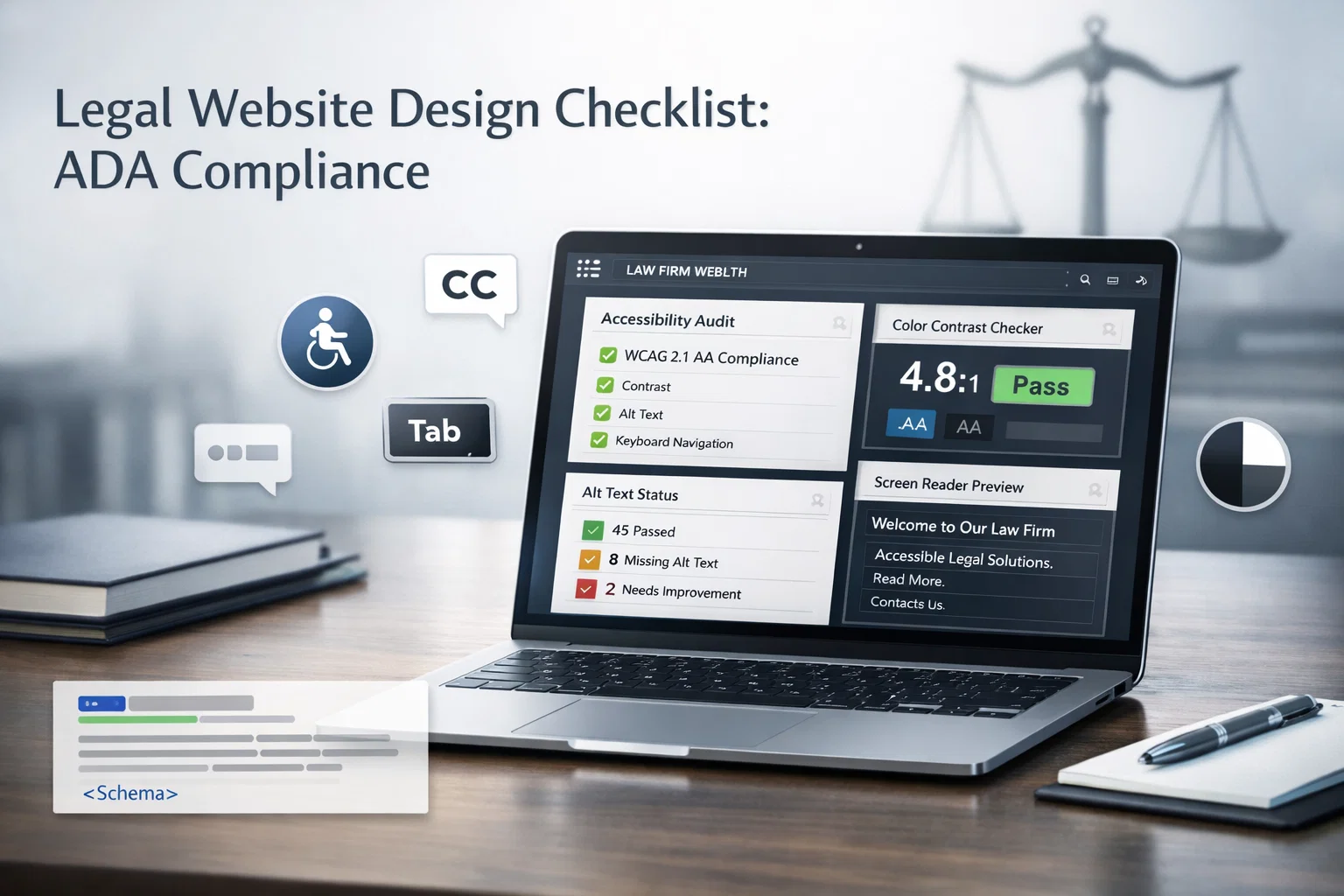
- Review color contrast ratios ensuring they meet 4.5:1 minimum for normal text
- Add descriptive alt text to all images, especially attorney photos and infographics
- Implement proper heading hierarchy using H1, H2, H3 tags in logical order
- Ensure all interactive elements have visible focus indicators for keyboard users
Non-compliance risks costly lawsuits averaging $100,000 per case in settlements and legal fees. Beyond financial costs, accessibility lawsuits damage your firm’s reputation and credibility. How can you advocate for clients’ rights while excluding disabled people from accessing your services?
Statistic Alert: ADA website lawsuits increased 14% in 2023, with legal and financial services firms among the top targets. Don’t let your practice become the next statistic.
Pro Tip: Hire an accessibility consultant to review your site before launch. The upfront cost is minimal compared to lawsuit defense expenses and demonstrates good faith compliance efforts.
Accessibility also broadens your potential client base significantly. Disabled individuals and their families need legal services at higher rates than the general population, making compliance both ethically right and financially smart.
Once compliance is ensured, the next step is optimizing your website’s SEO tailored specifically for law firms.
SEO Optimization for Law Firm Websites
Attorney-specific SEO requires fundamentally different strategies than generic business optimization. You need proven legal SEO strategies that account for ethical restrictions, local competition, and high-value keyword costs. Start with comprehensive keyword research focusing on your specific practice areas and geographic service regions.
Use location-specific keywords like “Chicago personal injury attorney” rather than generic terms like “lawyer.” Long-tail keywords such as “workers compensation appeal lawyer Milwaukee” attract more qualified prospects actively seeking your exact services. These targeted phrases convert better because searchers have specific legal needs.
Implement Schema.org legal markup on every page to enhance search result snippets. Structured data tells search engines exactly what services you offer, your practice areas, attorney credentials, and client review ratings. This markup can trigger rich snippets showing star ratings and business details directly in search results.
Optimize content for both traditional search engines and emerging AI-driven platforms like ChatGPT and Perplexity. AI search tools are becoming a primary client acquisition channel, requiring content that answers specific legal questions comprehensively. Structure your content using clear questions and direct answers that AI can easily extract and cite.
Key SEO Implementation Checklist:
- Optimize every page title tag with target keywords and location within 60 characters
- Write unique meta descriptions for each page emphasizing value proposition in 155 characters
- Create dedicated practice area pages targeting specific legal services you offer
- Build location pages for every city or region your firm serves with unique content
- Develop a content marketing strategy publishing helpful legal guides and articles monthly
- Obtain quality backlinks from legal directories, bar associations, and relevant industry sites
- Claim and optimize your Google Business Profile with complete information and regular posts
Track these essential SEO metrics consistently:
| Metric | Target | Measurement Frequency |
|---|---|---|
| Organic search traffic | 25% increase quarterly | Weekly |
| Keyword rankings | Top 3 positions for primary terms | Weekly |
| Conversion rate | 3-5% of visitors to leads | Daily |
| Backlink acquisition | 10-15 quality links monthly | Monthly |
| Page load speed | Under 3 seconds | Monthly |
Use local SEO tools for lawyers to monitor your visibility in map packs and local search results. Tools like BrightLocal and Whitespark help track citation consistency across directories and identify opportunities for improvement.
Pro Tip: Create separate tracking for branded versus non-branded keyword performance. Non-branded terms indicate new client discovery, while branded searches show reputation and referral strength.
Always maintain ethical SEO practices for attorneys by avoiding misleading claims, properly disclosing attorney advertising, and ensuring all content meets bar association guidelines. Search rankings mean nothing if they result in disciplinary actions.
With SEO setup, focus shifts to enhancing user experience and client engagement through smart website features.
Client Engagement Features and User Experience
Effective website design for attorneys balances professional credibility with easy accessibility for potential clients. Your site must convert visitors into leads through strategic design elements and engagement tools.

Include multiple contact options prominently on every page. Place your phone number in the header where mobile users can tap to call immediately. Add a persistent contact form in the sidebar or footer so visitors never have to search for ways to reach you. Live chat functionality captures visitors who prefer instant interaction over phone calls or email.
Showcase detailed attorney bios with professional photos, credentials, bar admissions, and practice experience. Potential clients want to know who will handle their case before making contact. Include personal elements like community involvement and hobbies to build authentic connections beyond legal qualifications.
Create comprehensive practice area pages explaining your services in client-friendly language. Each page should address common questions, typical case processes, and potential outcomes without making guarantees. Use clear subheadings and bullet points for easy scanning.
Optimize website loading speed ruthlessly because every second of delay costs conversions. Compress images, minimize code, enable browser caching, and use a content delivery network. Mobile users especially abandon slow sites before they ever see your content.
Ensure complete mobile responsiveness since top law firm website features must work flawlessly on smartphones and tablets. Over 60% of legal searches happen on mobile devices. Test your site on multiple devices and screen sizes to verify everything displays and functions correctly.
Essential Engagement Elements:
- Prominent call-to-action buttons using action verbs like “Schedule Consultation” or “Get Legal Help Now”
- Click-to-call phone numbers formatted for mobile devices
- Online intake forms collecting case details to qualify leads before contact
- Live chat or chatbot for after-hours inquiries and immediate engagement
- Client testimonials and case results building trust and demonstrating success
- Trust badges showing bar memberships, certifications, and awards
- Educational resources like FAQs and legal guides establishing expertise
Study essential examples of attorney websites from successful firms to see these principles in action. Notice how top-performing sites balance professionalism with warmth and make contact incredibly easy.
Add video content featuring attorneys discussing practice areas or answering common questions. Video builds trust faster than text alone and keeps visitors engaged longer. Even simple smartphone videos work if they provide genuine value and show your personality.
Beyond upgrades, maintaining ethical and legal compliance in marketing content is vital to protect your firm’s reputation.
Ethical and Legal Marketing Considerations
Law firm websites must comply with ABA Model Rules 7.1 and 7.2 governing attorney advertising and solicitation. Ethical marketing compliance requires clear disclaimers, transparent attorney qualifications, and avoiding misleading claims to prevent disciplinary actions and loss of client trust. Your state bar may have additional restrictions beyond ABA guidelines.
Avoid superlatives and guarantees about case outcomes. Phrases like “best lawyer” or “guaranteed results” violate ethical rules in most jurisdictions unless backed by verifiable, objective criteria. Never imply you can achieve specific results or that past success predicts future outcomes.
Clearly disclose all attorney qualifications, certifications, and specialization claims. If you advertise as a “specialist” or “expert,” you must have official certification from recognized authorities. List bar admissions, education credentials, and years of practice accurately without exaggeration.
Ethical Compliance Requirements:
- Include “Attorney Advertising” disclaimer on pages marketing legal services where required
- Display privacy policy explaining how visitor data is collected and used
- Add attorney disclaimer stating that website content is not legal advice
- Clearly identify which attorneys are responsible for website content
- Disclose any past case results accurately without implying guaranteed outcomes
- Avoid testimonials in jurisdictions where they are prohibited or restricted
- Ensure all content claims are truthful and can be substantiated with evidence
Maintain ethical SEO for attorneys by ensuring meta descriptions, title tags, and content follow the same truthfulness standards as traditional advertising. Search snippets are attorney advertising subject to bar rules.
Review content regularly as ethical rules evolve. What was acceptable five years ago may violate current standards. Assign someone responsibility for quarterly content audits checking compliance with current regulations.
Consider hiring an attorney advertising compliance specialist to review your website before launch. Many malpractice insurance carriers offer this service or can recommend qualified reviewers. The investment prevents far costlier disciplinary proceedings.
Awareness of common website design mistakes will help you avoid pitfalls that undermine performance and compliance.
Common Mistakes and Troubleshooting in Legal Website Design
Common mistakes include failing to optimize for mobile devices, neglecting SSL security certificates, and poor content structure leading to decreased search engine ranking and client trust. These errors cost law firms thousands in lost opportunities monthly.
Neglecting mobile optimization results in losing over 60% of potential visitors who access your site on smartphones. Mobile users expect fast loading, easy navigation, and tap-friendly buttons. If your site requires pinching and zooming, visitors abandon it immediately for competitor sites that work properly.
Lack of SSL certificates causes browsers to display “Not Secure” warnings that terrify potential clients. Why would anyone submit confidential legal information through an unsecured connection? SSL certificates cost under $100 annually, making this mistake inexcusable for professional service providers.
Poor content hierarchy using inconsistent heading tags confuses both search engines and human visitors. Your H1 should contain your primary keyword and page topic. H2 and H3 tags should organize subtopics logically. Random heading usage destroys SEO value and readability.
| Mistake | Impact | Solution |
|---|---|---|
| No mobile optimization | 60%+ visitor loss | Implement responsive design framework |
| Missing SSL certificate | Security warnings, lost trust | Purchase and install SSL certificate |
| Slow page load speed | High bounce rate | Optimize images, enable caching, use CDN |
| Duplicate content | Search penalty | Create unique content for each page |
| Broken links | Poor user experience | Regular link audits and fixes |
| Missing alt text | ADA violations, poor SEO | Add descriptive alt text to all images |
Additional Critical Mistakes to Avoid:
- Using generic stock photos instead of authentic attorney and office images
- Neglecting to update content regularly, making sites appear abandoned
- Implementing complex navigation that hides important pages and information
- Failing to track conversions and visitor behavior with analytics tools
- Ignoring website security leading to hacks and malware infections
- Not backing up website files and databases regularly
Pro Tip: Design a lawyer website with user testing sessions before launch. Watch real people attempt common tasks like finding contact information or learning about services. Their struggles reveal usability problems you never notice.
Regular website audits prevent these mistakes from accumulating. Schedule quarterly technical SEO audits, monthly accessibility checks, and annual comprehensive security reviews. Catching problems early costs far less than fixing major issues after they damage your reputation and rankings.
After troubleshooting, the final crucial steps are structured implementation with realistic timelines and budgets.
Implementation Steps and Timeline
Executing your legal website design checklist requires careful planning and phased implementation over three to six months. Rushing through steps creates compliance gaps and technical problems requiring expensive fixes later.
Engage both legal compliance reviewers and marketing teams early in planning. Compliance staff ensure ethical standards are met while marketing professionals focus on lead generation and conversion optimization. These perspectives sometimes conflict, requiring balanced decision making.
Schedule phased implementation rather than attempting everything simultaneously:
- Month 1: Discovery and Planning Audit current website, gather requirements, define goals, secure approvals, and select vendors or internal resources.
- Month 2: Design and Content Development Create wireframes, write copy following ethical guidelines, develop visual designs, and begin accessibility implementation.
- Month 3: Technical Build and Integration Develop website functionality, implement SEO optimization, integrate marketing tools, and configure analytics tracking.
- Month 4: Testing and Quality Assurance Conduct accessibility audits, perform SEO testing, verify mobile responsiveness, and test all forms and interactive elements.
- Month 5: Content Population and Review Add all content, perform legal compliance review, optimize images and media, and conduct stakeholder reviews.
- Month 6: Launch and Monitoring Deploy website, monitor performance metrics closely, fix any issues immediately, and gather user feedback.
Allocate budgets from $10,000 to $50,000 depending on scope and complexity. Smaller firm sites with basic functionality sit at the lower end while large practice websites with multiple locations and extensive content libraries require higher investment. Custom functionality like client portals or case status tracking adds significant costs.
Perform comprehensive accessibility and SEO testing before public launch. Discovering compliance violations after launch creates urgent fixes under pressure. Testing in staging environments allows methodical problem solving without public exposure.
Monitor metrics intensively post-launch ensuring goals are met. Track organic traffic, conversion rates, keyword rankings, and user engagement daily for the first month. Adjust strategies based on real performance data rather than assumptions.
Document all processes, credentials, and technical specifications for future reference. When team members change or vendors rotate, this documentation prevents knowledge loss and simplifies updates.
Once implemented, measuring success quantitatively confirms the value of your website redesign efforts.
Measurable Success Metrics and Outcomes
Define clear key performance indicators before launch so you can objectively evaluate your website’s effectiveness. Vanity metrics like page views don’t matter if your site fails to generate qualified leads and new clients.
Aim for 30% or more increase in qualified lead generation within six months of launch. Track leads by source to verify your website drives this growth rather than other marketing channels. Qualified leads are prospects matching your ideal client profile, not just any inquiry.
Target 20 to 25% improvement in user engagement metrics including lower bounce rates, longer average session duration, and more pages per visit. These metrics indicate visitors find your content valuable and navigate your site easily.
Achieve zero ADA-related lawsuits or penalties following compliance updates. While you cannot guarantee avoiding frivolous lawsuits, proper compliance significantly reduces legitimate claims. Document all accessibility efforts to demonstrate good faith compliance if challenged.
Strive for top three rankings on primary local and attorney-specific keywords within your practice areas. First page rankings matter, but positions one through three capture the majority of clicks and qualified traffic.
| Success Metric | Baseline | 6-Month Target | Measurement Method |
|---|---|---|---|
| Qualified leads | Current monthly average | 30% increase | CRM lead tracking |
| Organic traffic | Current monthly sessions | 40% increase | Google Analytics |
| Conversion rate | Current percentage | 3-5% total | Analytics goal tracking |
| Bounce rate | Current percentage | 25% reduction | Analytics behavior flow |
| Keyword rankings | Current positions | Top 3 primary terms | Rank tracking tools |
| Page load speed | Current seconds | Under 3 seconds | Google PageSpeed Insights |
Monitor client acquisition cost to ensure your website investment generates positive return. Calculate total website costs divided by new clients acquired through the site. Compare this to other marketing channel costs to verify website effectiveness.
Track phone calls, form submissions, and live chat conversations separately to understand which contact methods prospects prefer. This data informs future optimization priorities and helps allocate marketing resources efficiently.
After mastering measurable outcomes, explore expert solutions that simplify and enhance your SEO and design implementation.
Transform Your Law Firm’s Website with Expert SEO and Design Services
Implementing a comprehensive legal website design checklist requires specialized expertise in both technical SEO and legal marketing ethics. LawSEO.com provides dedicated SEO for lawyers services addressing every element covered in this checklist, from ADA compliance to conversion optimization.
Our team understands the unique challenges law firms face with ethical restrictions, local competition, and high client acquisition costs. We implement proven strategies that increase qualified leads while ensuring full compliance with bar association rules and accessibility standards.
Access specialized website design expertise tailored specifically for legal practices. Our on-page SEO guide for lawyers covers advanced techniques that drive rankings and conversions simultaneously. We handle the technical complexity so you can focus on practicing law.
For further guidance, answer key questions legal marketers often ask about website design and compliance.
What are the most critical ADA compliance requirements for legal websites?
The most critical requirements include sufficient color contrast ratios meeting 4.5:1 minimum standards between text and backgrounds. All images must have descriptive alternative text allowing screen readers to convey visual information to blind users. Keyboard navigation must work completely without requiring a mouse, and all interactive elements need visible focus indicators.
Regular accessibility audits using both manual testing and automated tools catch violations before they become legal problems. Manual testing reveals usability issues that automated scans miss, while tools efficiently identify technical violations across large sites.
How can law firms improve SEO beyond keywords?
Implement local SEO optimization including Google Business Profile management, local citation building, and location-specific content pages. Use structured data markup following Schema.org standards to enhance search result displays with rich snippets showing ratings, services, and business details.
Optimize content specifically for AI search platforms like ChatGPT and Perplexity by answering common legal questions comprehensively. Improve website loading speed through image optimization and technical enhancements. Obtain quality backlinks from legal directories, bar associations, and relevant industry publications to build domain authority.
What legal risks do law firms face if their websites are non-compliant?
Non-compliant websites face ADA lawsuits with average settlement costs exceeding $100,000 including legal fees and remediation expenses. These lawsuits damage firm reputation and demonstrate failure to practice what you preach regarding client rights.
Misleading marketing content violates ABA Model Rules risking disciplinary sanctions including public reprimands, fines, and potential license suspension. Even unintentional violations harm your professional reputation and client trust permanently.
How often should law firms audit and update their websites?
Conduct comprehensive accessibility and SEO audits quarterly to catch emerging issues before they impact performance or compliance. Perform audits immediately following major content management system updates or significant content additions.
Review all marketing content at least twice yearly ensuring continued compliance with evolving ethical rules. Update practice area pages and attorney bios whenever credentials change or new services are added.