


In Google Local Services Ads (LSAs), a bid is the most your firm is willing to pay for a single lead, and a higher bid can move your ad higher in results. You pay per lead, not per click. Your results depend on the bidding mode you pick, your weekly budget, and how well your firm handles the leads it receives. This guide covers each of those, plus the bar rules to check before you spend anything.
TL;DR
- LSAs charge per valid lead. A bid is your ceiling for one lead, not a keyword auction price.
- Three modes exist: Maximize leads, Target cost per lead, and Max per lead. Automated modes suit most firms starting out.
- Set an average weekly budget from the number of leads you actually want, then give the system about two weeks before judging results.
- Budget alone does not fix weak results. Answering leads quickly, reporting bad leads and reading intake data matter as much as the bid.
- Paid lead channels fall under ABA Model Rule 7.2 and your state’s version of it. Check your state bar before launch.
How LSA bidding actually works
LSAs are not the keyword auction most lawyers know from Google Ads. You do not choose keywords or pay when someone clicks. Instead, you choose your practice categories, your service area and a budget, and Google matches your firm to searches. Advertisers pay when they get a lead, and the bid caps what you will pay for it.
That structure changes how you should think about cost. In click-based PPC, a click can be wasted on a person who never calls. In LSAs, the unit you pay for is already a contact: a call, a message or, where offered, a booking request. The risk moves from “did anyone click” to “was the lead a real prospect in my practice area.”
What counts as a billable lead
Google says valid leads relate to the business or its services. They include answered calls, missed calls longer than 20 seconds during operating hours, texts or emails, voicemails, and, in the U.S. and Canada, booking requests.
Two details matter for law firms:
- Missed calls can be billed. If your phones are not covered during the hours you listed, you may pay for a lead you never spoke to.
- Message leads are cheaper. In the U.S., message leads are priced at 50% of the phone-lead price, and booking leads are charged at the phone rate. Message and booking leads are available in the United States and Canada.
A message lead costs less, but it also takes more effort to convert, because the prospect has not yet heard your voice. Track conversion by lead type before deciding that a lower price per lead means a lower price per client.
The three bidding modes
Google offers three ways to bid. Per Google’s bidding documentation, you can choose Maximize leads, Target cost per lead, or Max per lead.
| Mode | Control | How it works | Best fit |
|---|---|---|---|
| Maximize leads | Automated | Google sets bids to produce as many leads as it can within your weekly budget. Google recommends it for optimal performance. | New accounts, firms that want volume and have intake capacity |
| Target cost per lead (tCPL) | Automated, optional target | Google aims for an average cost per lead you name, adjusting bids as it learns. | Firms with a known acceptable cost per lead |
| Max per lead | Manual | You set a bid limit, the highest price you will pay for any single lead. | Firms with tight margins or a strict ceiling per case type |
Which mode should a law firm start with?
For most firms, an automated mode is the sensible start. Maximize leads gives Google the most room to learn what works for your category and city. If you have already run LSAs or paid search and know what a qualified lead is worth, Target cost per lead lets you state that number.
Max per lead gives you the most direct control, but it carries a trade-off you should plan for: a ceiling set below what competitors in your market are bidding can reduce how often your ad shows. Use it when a hard cap matters more than volume, for example in a practice area where only a small share of inquiries become cases.
Whichever mode you pick, keep in mind that it takes about two weeks to see accurate results while the system learns your business. Changing the mode every few days resets that learning and makes the data hard to read.
Setting your weekly budget
LSA budgets are set weekly, and the logic is lead-based. Google advises that you set an average weekly budget from the average number of leads you want each week. Weekly spend can vary, but the monthly maximum equals your average weekly budget multiplied by the average number of weeks in a month. Once that maximum is reached, your ad stops appearing unless you raise the budget.
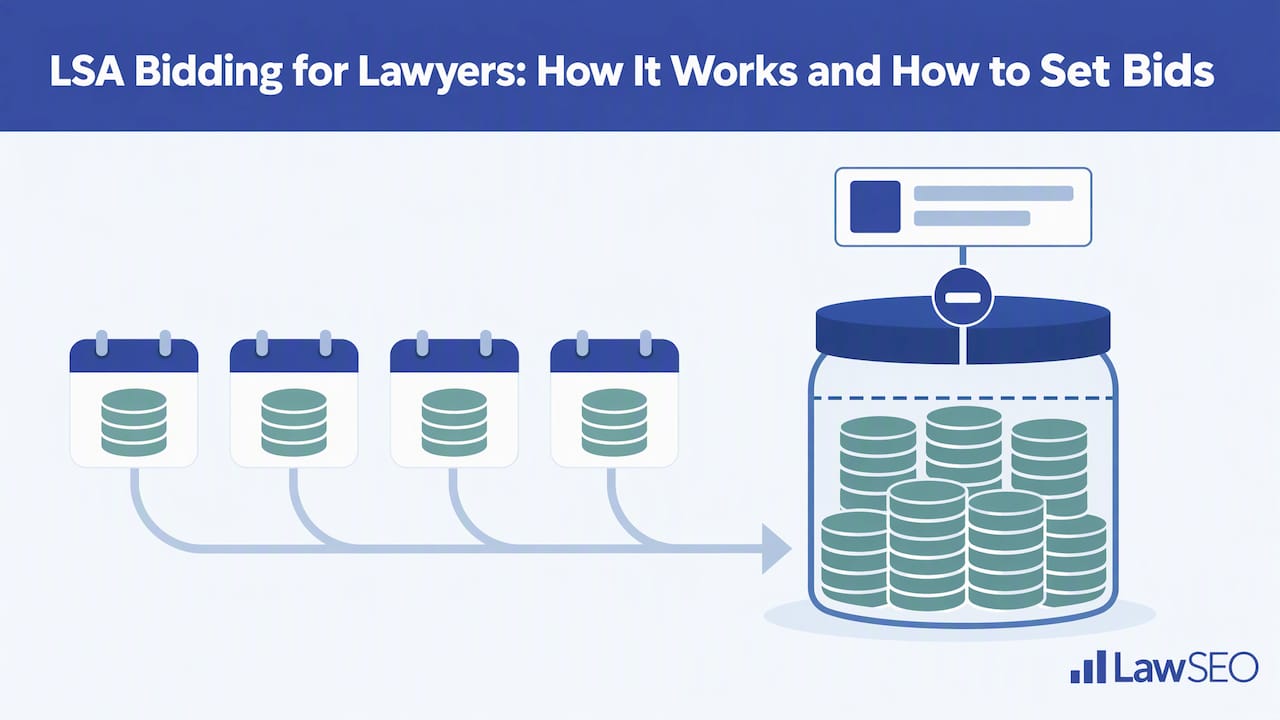
That means a budget is a ceiling on volume as well as spend. A budget set too low for your market can switch your ad off partway through the month, just when it was starting to produce.
A worked example of the method
The figures below are illustrative inputs for your own math, not Google prices or benchmarks. Lead prices vary by location, job type, lead type and bidding mode, so replace each number with your own.
- Decide the cases you want per month. Say your firm can take on 4 new matters a month.
- Estimate your lead-to-case rate from intake data. If 1 in 10 leads becomes a signed case, you need roughly 40 leads.
- Divide by weeks. Forty leads a month is about 9 to 10 a week.
- Multiply by the price you see in your account. Google shows the pricing range for your category and area during setup. That gives your weekly budget.
- Compare against case value. If the resulting cost per signed case is comfortably below your average fee, the budget is workable. If not, the issue is the conversion rate, the practice area or the market, and a bigger budget will not fix it.
The point is to work backward from cases, not forward from a budget you feel comfortable with. A lead target that ignores your conversion rate is a guess.
Eligibility and setup before you bid
Not every firm or practice area can run LSAs everywhere. Eligibility depends on the service category and the location. In the U.S., Google lists legal categories including bankruptcy, business, contract, criminal, disability, DUI, estate, family, immigration, intellectual property, labor, litigation, malpractice, personal injury, real estate, traffic and tax.
During setup, you control three things that shape lead quality:
- Service area. Google lets you set service areas by cities or ZIP codes. Tighten these to where you are licensed and where you will actually accept clients.
- Job types. You can select the types of leads you want to receive. Drop the matters you refer out or decline. Every inquiry you will not take is a lead you may pay for.
- Business hours. List the hours you can really answer. Because missed calls over 20 seconds can be billed, hours that exceed your phone coverage cost money.
Treat these settings as part of your bid strategy. A tight service area and accurate job types do more for cost per qualified lead than a small bid change.
What affects placement and lead volume
Google’s published bidding guidance confirms that bidding can raise your ad’s position, but it does not give a full list of everything that ranks a listing. Bid is one input, and it is not the only one. In our experience managing paid and local search for law firms, a handful of operational factors consistently separate accounts that get steady leads from those that stall:
- Responsiveness. Firms that pick up quickly and return missed calls give the system better signals than firms with voicemail.
- Reviews. Review count, rating and recency shape both click-through and how prospects judge you once they see the listing.
- Proximity and service area. Where the searcher is relative to your office and chosen ZIP codes affects who sees you.
- Budget headroom. If your ad runs out of budget early in the month, you vanish for the rest of it.
- Profile completeness. Accurate categories, hours and business details support everything above.
Because reviews and profile quality feed both LSAs and map results, the work overlaps with your Google Business Profile. Our guide on how to improve Google Business Profile rankings covers the shared groundwork.
Our perspective on LSA bidding
We work only with law firms, and the pattern we see most often is firms treating the LSA bid as the lever, when the bid is the smallest part of the system. A bid decides what you are willing to pay. It does not decide whether your intake team answers on the second ring, whether your service area matches your license, or whether anyone is reading the lead report each week.
Our view is that LSAs belong inside a wider search plan, not beside it. A firm that appears in the LSA block, the map pack and organic results for the same search earns more trust than a firm in only one of them. That is why we pair paid placement with local SEO, review generation and content, and why we report on signed cases, not lead counts.
We also believe in measuring a channel fairly before scaling it. We laid out our approach in a 4 to 6 week test of Local Services Ads for U.S. law firms, which is how we suggest firms judge LSAs before raising budgets. And because our founder personally reviews strategy for every campaign, bids and budgets are set against your case values, not a template.
TODD
Managing leads and disputing bad ones
Bidding does not end when the ad goes live. The weekly routine decides your real cost per case.
Review every lead
Open the lead list at least weekly. Mark which leads were real prospects, which became consultations and which became signed matters. This is the data that tells you whether to raise, lower or hold your budget. Without it, you are looking only at Google’s lead count.
Report poor leads
Google states that invalid or low-quality leads are not charged initially, that charged leads may later receive automatic credits, and that advertisers can flag poor quality through the lead-feedback survey. Lawyers can report poor-quality leads through that survey and may occasionally receive a credit. Do not count on credits. Use them for clear cases: wrong practice area, outside your service area, a solicitation or spam.
When you report, be specific. Note why the lead did not fit, and keep a record of the call or message. Consistent, accurate feedback is also useful for your own reporting.
Watch the pattern, not the single lead
A few bad leads are normal. A steady stream is a setup problem. Look for these causes:
- Job types are too broad, so you receive matters you do not handle.
- The service area reaches into counties where you do not practice.
- Hours are listed that your office does not staff.
- A practice area with a lot of low-value inquiries, such as general legal questions, is attracting calls that never convert.
Fix the setting first. Dispute second.
Bar rules to check before you bid
Paying for leads is regulated by your state’s rules of professional conduct, and the rules differ by state. The ABA’s guidance is a useful baseline. The comment to ABA Model Rule 7.2 permits paying for Internet-based client leads, provided the lead generator does not recommend the lawyer, payment is consistent with Rules 1.5(e) and 5.4, and communications comply with Rule 7.1.
In practice, check these points with your state bar’s ethics counsel or published opinions:
- No implied endorsement. Per the same ABA comment, communications must not imply a recommendation, an unpaid referral, or an analysis of the person’s legal problems.
- Fee sharing. Confirm that how you pay for leads, including any agency arrangement, does not run into fee-splitting limits.
- Accurate claims. Anything in your profile or ad copy, such as years in business or case results, must meet your state’s truthfulness and advertising rules.
- Intake conduct. What your staff says to a prospect on an LSA call is a lawyer communication. Train them accordingly.
If your state has issued its own opinion on pay-per-lead advertising, follow that over the model rule. Our page on ethical SEO for attorneys explains how we approach compliance across channels.
LSAs, Google Ads and organic: where bidding fits
LSAs are one paid option among several. Standard Google Ads let you choose keywords, write ad copy and send traffic to a landing page you control. LSAs give you less control, but they place your firm in a prominent, trust-focused format and charge per lead.
| Factor | Local Services Ads | Google Ads (search) |
|---|---|---|
| What you pay for | A lead | A click |
| Keyword control | None; matched by category and area | Full |
| Bidding | Three modes, per-lead | Per-click strategies |
| Landing page | Google profile | Your own site |
| Main risk | Paying for off-target leads | Paying for clicks that do not convert |
Many firms do best running both, because they capture different searchers. If you run search ads too, review our list of top law firm Google Ads mistakes to fix so the two channels do not waste budget in parallel.
Organic and map visibility still matter. Paid listings stop the moment the budget does, while strong rankings keep working. Building both is the stable approach, and our guide on how to rank in Google Maps for law firms shows how the organic side works.
A practical first 30 days
- Week 0: prepare. Confirm your practice area and city are eligible, check your state bar rules, and make sure phones and intake are staffed for the hours you will list.
- Week 0: configure. Set tight service areas, select only the job types you want, and choose Maximize leads or Target cost per lead.
- Weeks 1 and 2: hold steady. Do not change the bid mode. Log every lead and answer each one fast.
- Week 3: review. Compare leads, consultations and signed matters. Report clearly invalid leads.
- Week 4: decide. If cost per signed case works against your average fee, raise the budget in steps. If not, fix settings and intake before spending more.
Get help setting up LSAs inside a wider plan
If you want LSA bidding managed alongside local SEO, Google Business Profile work, content and AI search visibility, our team does exactly that for attorneys. We work only with law firms and offer exclusivity agreements, so we do not serve your local competitors. See our full list of services or start with an SEO audit for attorneys to see where your firm stands today.
FAQ
How much does an LSA lead cost for a lawyer?
There is no single price. Google says lead prices vary by location, job type, lead type and bidding mode. Your account shows the range for your category and service area during setup, and message leads are priced at half the phone-lead rate in the U.S.
Which LSA bidding mode is best for a law firm?
Most firms start with Maximize leads, which Google recommends for performance. Choose Target cost per lead if you know what a qualified lead is worth, and Max per lead only when you need a hard ceiling and can accept fewer impressions.
How long before I know if LSA bidding is working?
Google says it takes about two weeks to see accurate results as the model learns your business. Judge the channel on signed cases over several weeks, not on the first few days of lead counts.
Can I dispute LSA leads that were not real prospects?
Yes. Google does not charge invalid or low-quality leads initially, and you can flag poor leads through the lead-feedback survey. Credits are possible but not guaranteed, so fix your job types, service area and hours to prevent bad leads at the source.
Is paying for LSA leads allowed under attorney advertising rules?
The ABA’s comment to Model Rule 7.2 permits paying for Internet-based leads under conditions, including no implied recommendation of the lawyer. Your state’s rules govern, so confirm with your state bar’s ethics guidance before launching.
Sources
- How bidding works for Local Services Ads, Google Local Services Help
- How leads work, Google Local Services Help (UK English page)
- How leads work, Google Local Services Help (U.S. lead pricing)
- How leads work, Google Local Services Help (lead feedback)
- Getting started with Local Services Ads, United States
- Edit your ad or business information, Google Local Services Help
- ABA Model Rule 7.2 comment, Communications Concerning a Lawyer’s Services
