


TL;DR:
- Web design plays a foundational role in SEO by influencing site architecture, performance, and crawlability. Proper structure, fast loading, and schema markup are essential for higher rankings and user engagement. Redesigns without proper redirects or mobile content parity can cause significant ranking losses, making integrated design and SEO strategies crucial.
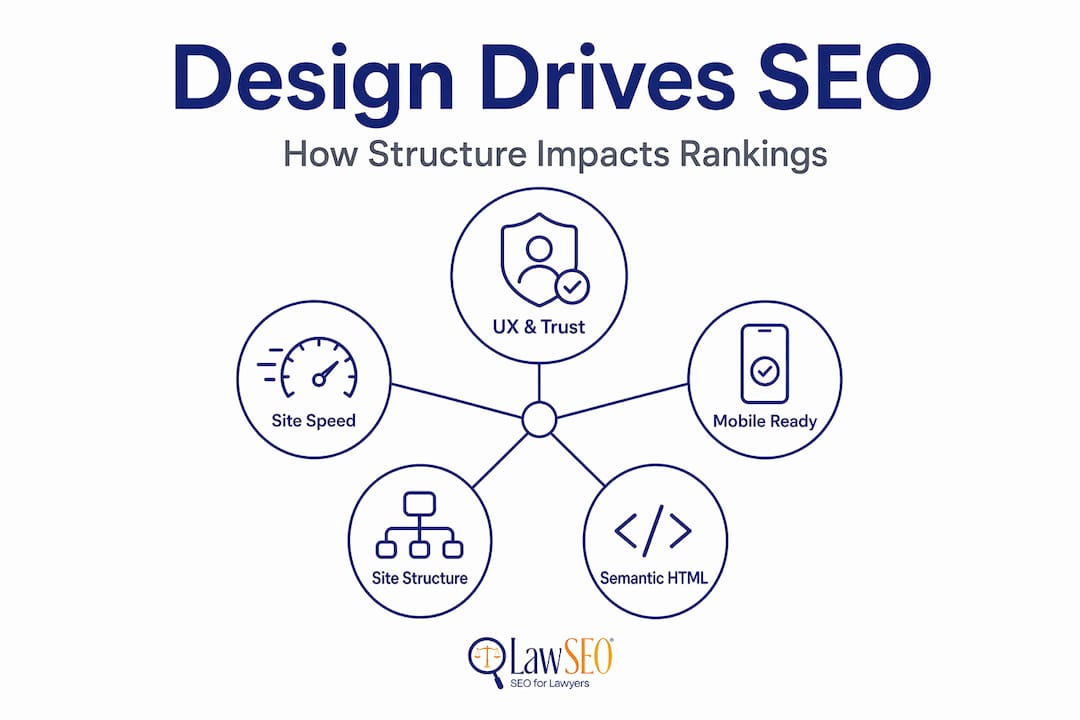
Most law firms treat web design as a branding decision and SEO as a separate marketing function. That separation is costly. The role of web design in SEO is foundational, not cosmetic. Every structural choice your developer makes, from URL patterns to heading hierarchy to how JavaScript loads, either enables or limits what search engines can do with your site. This guide breaks down exactly how design determines SEO performance for attorney websites, and what your firm needs to get right before investing further in content or backlinks.
Key Takeaways
| Point | Details |
|---|---|
| Design sets your SEO ceiling | Your site’s architecture and performance determine the maximum rankings your content can achieve. |
| Core Web Vitals are ranking signals | Fix severe speed and stability issues before spending more on content or link building. |
| Mobile-first indexing is the default | Google indexes your mobile site first, so mobile content parity is not optional. |
| Schema markup increases click-through rates | Properly implemented structured data can boost CTR by 20% to 82% for law firm listings. |
| Redesigns carry real SEO risk | Changing URLs or navigation depth without a migration plan causes measurable ranking losses. |
How the role of web design in SEO starts with site architecture
Search engines discover, crawl, and index your content by following the structural signals built into your website. If those signals are unclear or inefficient, your content will not rank, regardless of how well it is written.
The most practical rule is this: any important page on your firm’s site should be reachable within two to three clicks from the homepage. Practice area pages, attorney bios, and contact forms are the pages that generate leads. Burying them five levels deep in a navigation menu tells both users and crawlers that those pages are low priority.
Clean, descriptive URL structures reinforce this logic. A URL like "lawfirm.com/personal-injury/car-accident-attorneycommunicates the content's topic to search engines without ambiguity. Compare that tolawfirm.com/page?id=47`, which tells Google nothing useful. Well-structured URL patterns also make it easier to maintain consistent internal linking.
Internal linking is where many law firm sites leave authority on the table. Every page that earns a backlink passes some of that authority to pages it links to. A deliberate internal linking strategy connects your most authoritative content to the practice area pages you want to rank, distributing value where it counts.
- Use breadcrumb navigation on all practice area and location pages. It clarifies hierarchy for crawlers and adds structured data opportunities.
- Submit and maintain an XML sitemap that reflects your current URL structure. Remove pages that return 404 errors.
- Keep your robots.txt file accurate. Accidentally blocking practice area pages is a common redesign mistake with serious consequences.
Pro Tip: Run a crawl of your site using a tool like Screaming Frog before any redesign. Map every URL and its crawl depth so you have a baseline to compare against after launch.
Performance and Core Web Vitals for attorney websites
Page speed is not a nice-to-have feature. Core Web Vitals are direct Google ranking signals, and a site with poor scores is competing at a disadvantage before a single keyword is considered. For law firms, where competition in markets like personal injury or criminal defense is intense, that disadvantage is measurable in lost leads.
The three Core Web Vitals metrics your design team must understand are:
- Largest Contentful Paint (LCP): Measures how fast the largest visible element loads. Heavy hero images and unoptimized fonts are the most common culprits on law firm sites.
- Cumulative Layout Shift (CLS): Measures visual stability. Ads, embeds, and late-loading images that shift page content frustrate users and signal poor design quality.
- Interaction to Next Paint (INP): Measures responsiveness to user input. Complex JavaScript interactions are the usual cause of poor INP scores.
Fixing these issues is a design and development task, not a content task. That distinction matters when you are allocating budget. Prioritize severe Core Web Vital failures before investing in additional content production or link acquisition. A fast, stable site amplifies every other SEO effort. A slow one diminishes them.
Mobile responsiveness is equally non-negotiable. Google’s mobile-first indexing means the mobile version of your site is what gets indexed and ranked, not the desktop version. If your firm’s site shows abbreviated content or broken navigation on a phone, that is the version Google evaluates. Responsive design, which serves the same content to all devices through a single URL, is Google’s recommended approach because it avoids content parity problems entirely.

For ongoing monitoring, Lawseo recommends connecting your site to Google Search Console and tracking Core Web Vitals data at the URL group level. Aggregate scores can mask individual pages with serious problems. For a detailed breakdown of what to fix and in what order, the guide on Core Web Vitals for law firms is worth reading before you brief any developer.
Semantic HTML, accessibility, and structured data
Web design and search engine optimization share a common foundation: clear communication of what a page is about. Semantic HTML is how that communication happens at the code level.
Using the correct heading hierarchy matters more than most law firm decision-makers realize. A single H1 per page establishes the primary topic. H2 headings organize the main sections. H3 headings break down subsections. When a page about wrongful termination has its main topic buried inside a div tag styled to look like a heading, Google treats it as body text. The ranking signal is lost.
Alt text for images serves a parallel function. Screen readers use it for accessibility. Google’s image crawler uses it for indexing. A photo of your founding partner labeled IMG_4892.jpg contributes nothing. A well-written alt attribute describing the image reinforces the page’s topical relevance.
Schema markup is where the real competitive opportunity lies for law firms. Structured data can increase click-through rates by 20% to 82% by enabling rich results in Google’s search listings. Relevant schema types for attorney websites include:
- LocalBusiness and Attorney schema: Confirms your firm’s name, address, phone number, and practice areas to search engines.
- FAQ schema: Displays question and answer pairs directly in search results, increasing listing real estate.
- Review schema: Can surface star ratings for attorneys who have collected Google reviews.
- BreadcrumbList schema: Reinforces site hierarchy in search result URLs.
Implementation is not a one-time task. Schema markup requires ongoing validation using Google’s Rich Results Test and continuous monitoring in Search Console. Errors that are not caught will quietly eliminate the rich result benefits you worked to earn.
Pro Tip: Run every new page through Google’s Rich Results Test before publishing. Catching schema errors at launch is far less disruptive than diagnosing lost rich results weeks after the fact.
User experience, navigation, and engagement signals
Navigation and UX directly influence the engagement metrics that feed into Google’s ranking algorithms. When a prospective client clicks your listing from a search result and immediately returns to Google, that behavior signals that your page did not satisfy the query. Over time, consistent pogo-sticking, the pattern of users bouncing between search results and your site, reduces your ranking position.
Good UX design prevents this. Specifically, law firm websites should focus on:
- Clear primary navigation: Practice areas, attorney profiles, and contact information should be findable within one click from any page.
- Consistent page templates: When the structure of your personal injury pages differs radically from your family law pages, users must re-learn the layout every time. Consistency reduces friction.
- Avoiding orphaned pages: A page with no internal links pointing to it cannot be discovered by crawlers or users. Every page needs at least one logical internal link from a related page.
- Call-to-action placement: A prospective client looking for a car accident attorney is ready to act. A design that makes the contact form easy to find converts that intent into a lead. One that buries it fails twice, once as a business and once as an SEO signal.
Poor information architecture reduces organic visibility even when the underlying content is strong. Design is the delivery mechanism. Without it working correctly, the content never reaches its potential.
For law firms, trust signals are also part of UX. Bar association badges, client testimonials, and case results displayed prominently reduce hesitation. A user who spends three minutes reading your attorney bio before submitting a contact form sends a very different signal than one who leaves in eight seconds.
Common web design mistakes that damage law firm SEO
Redesigns are the most dangerous moment in a law firm website’s SEO history. Changing URL structures without a redirect plan is the single most common cause of severe ranking drops after a site relaunch. If your practice area page previously lived at /attorneys/personal-injury and now lives at /practice-areas/personal-injury, every backlink to the old URL becomes a dead end without a 301 redirect in place.
Here is a structured approach to protecting your SEO during a redesign:
- Crawl and export your current URL inventory before any work begins. This becomes your migration checklist.
- Map every old URL to its new destination and implement 301 redirects on launch day, not after.
- Audit navigation depth to confirm that no important pages moved further from the homepage than they were before.
- Test mobile content parity on the staging site before go-live. The mobile version must display the same substantive content as the desktop version.
- Verify your robots.txt is not blocking any pages you need indexed. This is a more frequent mistake than it should be.
JavaScript-heavy designs introduce a second category of risk. Heavy JavaScript can delay or block content rendering for mobile crawlers. Attorney bios, FAQ sections, and practice area descriptions that load client-side only may not be indexed at all. Server-side rendering, or ensuring critical content is present in the initial HTML response, solves this problem.
Pro Tip: Request a pre-launch SEO review from your SEO team or consultant before your redesigned site goes live. Fixing redirect errors and JavaScript rendering issues post-launch costs significantly more time and recovery effort than catching them in staging.
| Redesign risk | Impact on SEO | Prevention |
|---|---|---|
| URL structure changes | Lost backlink equity, ranking drops | 301 redirect mapping |
| JavaScript-rendered content | Missed indexing of key pages | Server-side rendering |
| Reduced mobile content | Mobile-first indexing penalties | Content parity audit |
| Slower server response | Lower Core Web Vitals scores | Hosting environment review |
My perspective on design and SEO integration
I have worked in SEO for over 29 years, and I can tell you that the most preventable losses I have seen at law firms come from treating web design as a phase that ends before SEO begins. A firm invests in a beautiful new site, the developer hands it off, and then the SEO team spends six months trying to work around structural problems that were baked in at design.
The smarter approach is to include SEO requirements in the design brief from day one. I am not talking about adding keywords to pages. I mean specifying URL structures, heading hierarchies, schema types, and performance budgets before a single design mockup is approved. When those decisions are made in a design meeting rather than a remediation session, they cost almost nothing to implement. When they are retrofitted after launch, they are expensive and disruptive.
What I have also found is that law firms underestimate the value of design systems for maintaining SEO consistency. When every practice area page follows the same template structure, adding a new page to the site is an SEO event that goes right, every time. Without that system, quality depends entirely on whoever built the page that week.
The design choices that drive legal client growth are not complicated. They are systematic. Get the architecture right, test the performance, validate the schema, and the content you produce on top of that foundation will rank the way it should.
— Todd
How Lawseo connects web design and SEO for law firms
If this article has clarified how much web design and search engine optimization depend on each other, the next practical question is what to do about it. Lawseo works exclusively with attorneys and law firms, which means every service we provide is built around the specific competitive environment and ethical considerations of legal marketing. There is no one-size-fits-all template applied to your firm.
Our approach to law firm SEO services integrates web design directly into SEO strategy from the start. We assess site architecture, Core Web Vitals, schema implementation, and mobile performance as part of every engagement. For firms ready to explore their options with a specialist who has worked inside this industry for nearly three decades, we encourage you to review our 2026 advanced SEO strategy guide and connect with our team to discuss where your site stands today.
FAQ
What is the role of web design in SEO for law firms?
Web design determines how effectively search engines can crawl, index, and rank your firm’s content. Site architecture, page speed, mobile responsiveness, and semantic HTML are all design decisions with direct SEO consequences.
How do Core Web Vitals affect law firm search rankings?
Core Web Vitals measure loading speed, visual stability, and interactivity. Google uses these as ranking signals, so poor scores can suppress your firm’s visibility even when your content is strong.
Does schema markup help attorney websites rank better?
Schema markup does not directly change rankings, but it enables rich results in search listings. Structured data can increase click-through rates by 20% to 82%, which improves organic traffic from the same position.
Why do law firm websites lose rankings after a redesign?
Most ranking drops after a redesign result from URL changes without proper redirects, which break the backlink equity your old pages had accumulated. Navigation depth changes and mobile content gaps are common secondary causes.
How does mobile-first indexing affect attorney websites?
Google indexes and ranks the mobile version of your site by default. If your mobile site shows less content than your desktop version, or has broken navigation, your rankings reflect the mobile experience, not the desktop version you may have optimized.