

Law firms often assume Google My Business is just another directory listing, but it’s actually your most powerful tool for local client acquisition. With approximately 4,000 categories available, selecting the right ones can make or break your visibility in local search results. This guide will show you how to leverage Google My Business to dominate your local market and attract more clients in 2026.
Table of Contents
- Understanding What Google My Business Is
- Choosing And Optimizing Your Google Business Profile Categories
- Optimizing Your Google My Business Profile For Law Firm Success
- Comparing Google My Business To Other Local Marketing Platforms For Lawyers
- Applying Your Google My Business Strategy And Measuring Impact
- Enhance Your Law Firm’s Online Presence With Expert SEO
Key takeaways
| Point | Details |
|---|---|
| Google My Business controls local visibility | Your profile directly impacts how potential clients find you on Google Search and Maps when searching for legal services. |
| Category selection drives targeted traffic | Choosing the right primary and secondary categories from thousands of options ensures you appear for high-value client searches. |
| Profile optimization converts searches to clients | High-quality photos, consistent reviews, and regular posts transform profile views into consultations and retainers. |
| Integration maximizes marketing ROI | Combining Google My Business with legal directories and SEO tools creates a comprehensive local presence that outperforms isolated tactics. |
Understanding what Google My Business is
Google My Business is a free tool that lets you control how your law firm appears across Google Search and Maps. When potential clients search for legal services in your area, your profile shows up with essential information that influences their decision to contact you.
Your Google Business Profile for law firms includes critical elements that build trust and drive action. These components work together to showcase your expertise and make it easy for prospects to reach out.
Key profile elements include:
- Business name, address, and phone number displayed prominently in search results
- Operating hours so clients know when they can call or visit
- Photos of your office, team, and events that humanize your practice
- Client reviews that provide social proof of your legal expertise
- Business categories defining your practice areas and services
- Posts sharing legal insights, firm news, and client success stories
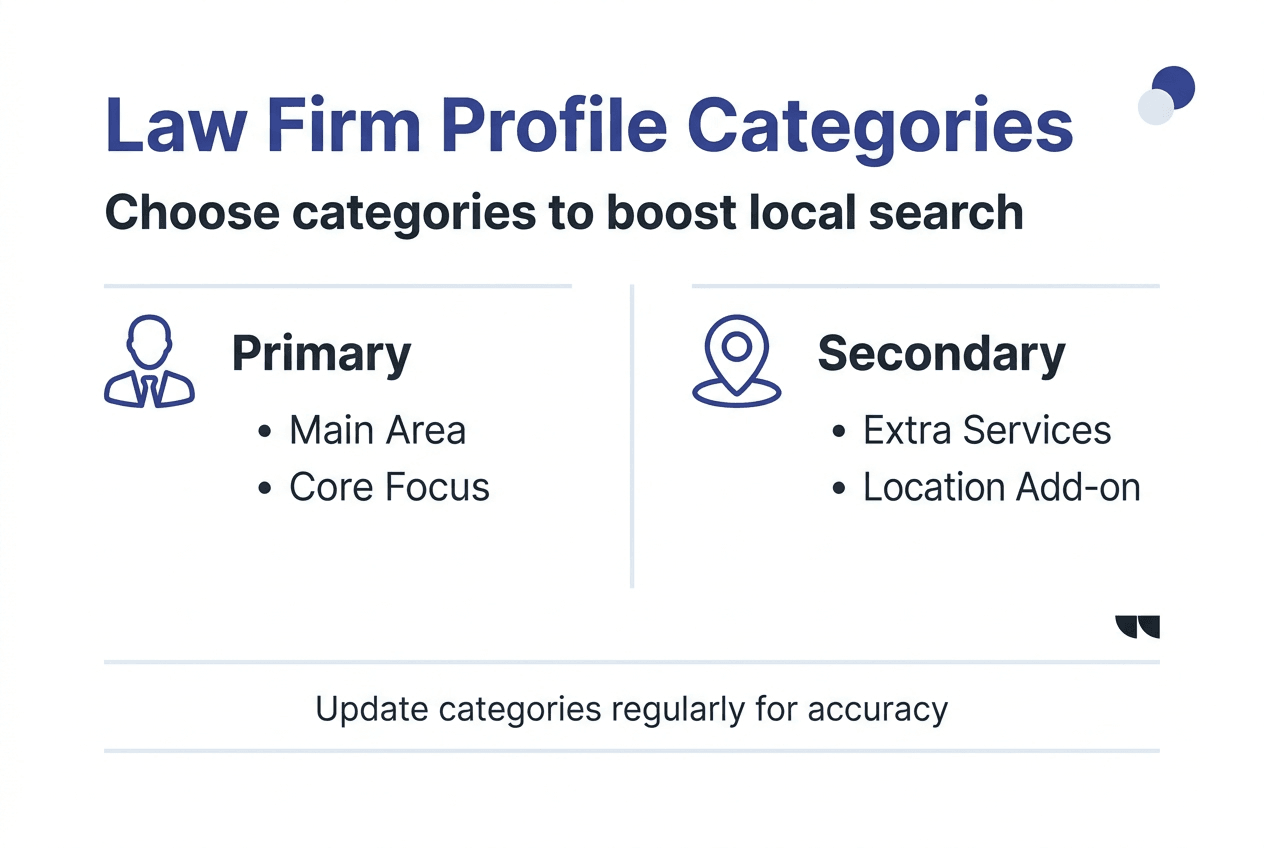
With approximately 4,000 Google Business Profile categories available, you can precisely define your legal services to match what prospective clients are searching for. This granular categorization ensures you appear in relevant local searches rather than getting lost in generic results.
Proper profile management increases your visibility when people in your geographic area search for legal help. You control the narrative about your firm before prospects even visit your website. Every element you optimize brings you closer to appearing in the coveted local three-pack, the top three results Google displays with map locations.
The difference between a claimed, optimized profile and an unclaimed listing is dramatic. Unclaimed profiles show basic information Google scrapes from the web, often outdated or incorrect. Claimed profiles let you add rich content, respond to reviews, and track how people find and interact with your listing.
Choosing and optimizing your Google Business Profile categories
Your primary category defines how Google understands your core legal services, while secondary categories expand your reach to related practice areas. Choosing the best categories involves aligning them with business goals, comparing with competitors, considering search volume, and focusing on profitability.
Start by identifying your main practice area that generates the most revenue or represents your firm’s primary focus. If you’re a personal injury attorney, that should be your primary category. If family law drives your practice, make that the foundation of your profile.
Research what categories your top local competitors use to spot opportunities and gaps in the market. If competing firms haven’t claimed certain relevant categories, you can capture that search traffic. Look for specific categories that match your niche expertise rather than settling for broad legal terms.
Evaluate each potential category based on:
- Search volume in your geographic area for that specific legal service
- Average case value or client lifetime value from that practice area
- Your firm’s actual expertise and ability to handle those cases competently
- Competition levels among local attorneys for those category keywords
Pro Tip: You can change categories anytime to test different approaches, so treat category selection as an ongoing optimization process rather than a one-time decision.
Secondary categories broaden your visibility without diluting your primary focus. If you handle personal injury cases but also take wrongful death claims, adding both categories ensures you appear in searches for either service. Avoid adding categories for practice areas you don’t actively handle, as this can hurt your credibility and ranking signals.
Review your Google Business Profile for law firms categories quarterly to ensure they still align with your business goals and market conditions. As your practice evolves or you identify new profitable niches, update categories accordingly.
Use your law firm visibility checklist 2026 to verify that category selections support your broader local SEO strategy. Categories should match the practice area content on your website, the keywords you’re targeting, and the legal directories where you maintain listings.
Optimizing your Google My Business profile for law firm success
Claiming and verifying your listing gives you full control over how your firm appears in local search results. Without verification, you can’t access insights, respond to reviews, or update critical information that prospects rely on when choosing an attorney.
Start by following the steps to claim your Google Business Profile if you haven’t already. Google will send a verification code by mail, phone, or email depending on your business type and location. This process typically takes a few days but unlocks all profile management features.
Once verified, implement these optimization strategies:
- Upload professional photos of your office exterior, reception area, conference rooms, and attorney headshots to build visual trust
- Create a detailed business description highlighting your unique value proposition and years of experience
- Add your service area to appear in searches from surrounding cities and neighborhoods
- Include your website URL and booking links to make contact frictionless
- Post weekly updates about case results, legal tips, or firm news to signal active engagement
High-quality photos dramatically impact conversion rates. Prospects want to see your physical office and team before visiting, especially for sensitive legal matters. Include images that convey professionalism, accessibility, and success.
Pro Tip: Encourage satisfied clients to leave Google reviews immediately after case resolution when their positive experience is fresh, but always follow your state bar’s ethical guidelines on soliciting testimonials.
Consistency across all online properties matters more than most attorneys realize. Your name, address, and phone number must match exactly across Google, your website, legal directories, and social profiles. Even minor variations like “Street” versus “St.” can confuse Google and weaken your local rankings.
Regularly update your profile with posts that demonstrate thought leadership and client focus. Share quick legal tips, announce new attorneys joining the firm, or highlight community involvement. These updates keep your profile fresh and give prospects reasons to engage before they contact competitors.
Implement the tactics in improve Google Business Profile rankings to climb above competing law firms in local search results. Small optimizations compound over time, gradually shifting you from page two to the coveted local three-pack.
Integrate your Google My Business efforts with broader local SEO for law firms client growth strategies. Your profile works best as part of a comprehensive local presence that includes citation building, review generation, and location-specific website content.
Comparing Google My Business to other local marketing platforms for lawyers
Google My Business offers unmatched integration with the search engine and mapping service that dominates legal client research. When someone searches “personal injury lawyer near me,” your optimized profile appears instantly with all decision-making information visible.
Legal directories like Avvo, Justia, and FindLaw provide niche-specific exposure within the legal community and among clients specifically seeking attorney reviews. These platforms often require paid memberships for premium placement but offer detailed attorney profiles and peer endorsements that Google profiles don’t support.
| Platform | Primary Benefit | Cost Model | Best Use Case |
|---|---|---|---|
| Google My Business | Dominates local search and maps | Free | Essential foundation for all law firms |
| Legal Directories | Niche legal audience and peer credibility | Free and paid tiers | Building authority and backlinks |
| SEO Tools | Citation management and rank tracking | Subscription | Monitoring and scaling local presence |
| Social Media | Engagement and brand building | Free with ad options | Relationship building and content distribution |
SEO tools help optimize citation consistency, track local rankings, and identify technical issues but complement rather than replace your Google presence. These platforms provide the data and workflows needed to maintain accurate information across hundreds of directories simultaneously.
Key distinctions to consider:
- Google My Business reaches clients at the exact moment they’re searching for legal help
- Legal directories attract clients already committed to hiring an attorney
- SEO tools provide infrastructure for managing all local listings efficiently
- Social platforms build long-term relationships but rarely drive immediate consultations
The most successful law firms combine Google My Business with strategic legal directory optimization 2026 to maximize visibility across multiple client research channels. Each platform serves a distinct role in your client acquisition funnel.
Use best local SEO tools for lawyers comparison to identify software that streamlines profile management across Google and directory sites. Automation tools save hours of manual updates while ensuring consistency that Google rewards with better rankings.
Applying your Google My Business strategy and measuring impact
Implementation follows a logical sequence that builds momentum toward improved local visibility and client inquiries. Start with foundational setup, then layer on optimization tactics as you learn what resonates with your target clients.
Follow these steps to maximize your Google My Business results:
- Claim your Google Business Profile using the verification method Google provides, typically a postcard mailed to your office address
- Complete every profile section with accurate, keyword-rich information about your legal services and geographic coverage
- Select your primary category based on your most profitable practice area, then add relevant secondary categories
- Upload at least 10 high-quality photos showing your office, team, and professional environment
- Create a posting schedule to share legal insights, case results, and firm updates at least weekly
- Implement a review generation process that asks satisfied clients for Google feedback within days of case completion
- Monitor your Google Business Profile insights dashboard to track how many people view your profile, request directions, or click to call
- Analyze which photos get the most views and which posts drive the most engagement to refine your content strategy
- Adjust your categories and service descriptions based on which search queries bring visitors to your profile
- Integrate profile updates with your broader local SEO for law firms client growth initiatives
Your Google Business Profile dashboard reveals crucial metrics about client behavior. Views indicate how often your profile appears in search results. Actions show how many people called, visited your website, or requested directions after seeing your listing.
Track these key performance indicators monthly:
- Total profile views and the search queries that triggered them
- Direction requests indicating serious intent to visit your office
- Phone calls originated directly from your Google listing
- Website clicks showing interest in learning more about your services
- Photo views revealing which visual content attracts attention
Compare your metrics to previous months to identify trends and correlate profile changes with performance shifts. If adding a new category or posting more frequently coincides with increased calls, double down on those tactics.
Use your law firm visibility checklist 2026 to ensure Google My Business optimization aligns with your other marketing efforts. Consistency across channels amplifies impact, while fragmented approaches waste resources and confuse potential clients.
Enhance your law firm’s online presence with expert SEO
Mastering Google My Business represents just one component of a comprehensive legal marketing strategy. LawSEO.com specializes in helping law firms achieve online dominance through targeted legal SEO for law firms that goes far beyond basic profile optimization.
Our local SEO for law firms client growth services integrate Google My Business optimization with citation building, content creation, and technical SEO to maximize your visibility where prospective clients search. We understand the unique ethical considerations and competitive dynamics of legal marketing.
With over 29 years of SEO expertise focused exclusively on attorneys, we provide strategies proven to attract more qualified leads and convert them into paying clients. Our comprehensive digital marketing for lawyers approach ensures every marketing dollar works harder to grow your practice.
What is Google My Business? Frequently asked questions
What distinguishes Google My Business from a Google Business Profile?
Google My Business was the original name for the management dashboard where you control your business information. Google has since rebranded the public-facing listing as a Google Business Profile, though many people still use the terms interchangeably. The functionality remains the same regardless of which name you use.
How often should law firms update their Google Business Profile?
Update your profile whenever business information changes, such as hours, address, or phone number. Post fresh content at least weekly to signal active engagement to Google and provide prospects with reasons to choose your firm. Regular updates improve your visibility in local search results.
Can multiple attorneys share a single Google My Business listing?
Yes, if they work at the same physical location under one firm name. Each attorney can have individual profiles only if they operate separate practices at different addresses. Sharing a listing makes sense for firms with multiple partners, as it consolidates reviews and visibility rather than fragmenting your online presence.
How do reviews on Google My Business impact my firm’s visibility?
Reviews significantly influence both search rankings and client decisions. Google considers review quantity, quality, and recency when determining local pack placement. Prospects trust firms with numerous positive reviews more than those with few or negative feedback, directly affecting your conversion rate from views to consultations.
Is there a cost to use Google My Business?
No, creating and managing your Google Business Profile is completely free. Google provides these tools to improve search results quality and keep users within their ecosystem. You can access all features, post unlimited updates, and respond to reviews without any subscription or listing fees. The only investment required is your time to claim your Google Business Profile and maintain it properly.